
Accepted Registration Records
Typically accepted documents include: certificates of incorporation, registry extracts, articles of organization, business licenses, or official digital records.
- The document must display your legal name, registration or identification number, incorporation date, and issuing authority.
- If amendments exist (e.g., name changes), upload the newest version.
Submission Guidelines
Provide the full document, including all pages and visible seals.
- Legibility is essential. If the document is in another language, a brief note clarifying key fields may help prevent follow-up requests.
- Digital originals are preferred when available.
1. How do I upload documents correctly?
Upload full documents in PDF, JPG, or PNG format, ensuring all four corners and all pages are visible.
Avoid glare, shadows, cropping, or low resolution. Documents should appear as close as possible to their original form.
2. Why was my document rejected?
Common reasons include: missing pages, blurred text, outdated issue date, mismatch with declared information, or incomplete images.
You will receive a specific explanation so you can replace only the affected document.
3. What formats and resolutions are accepted?
Standard digital formats (PDF, JPG, PNG) are accepted. High-quality scans or clear photos are both valid.
Ensure text is readable without zooming excessively.
KYB Flow Tutorial
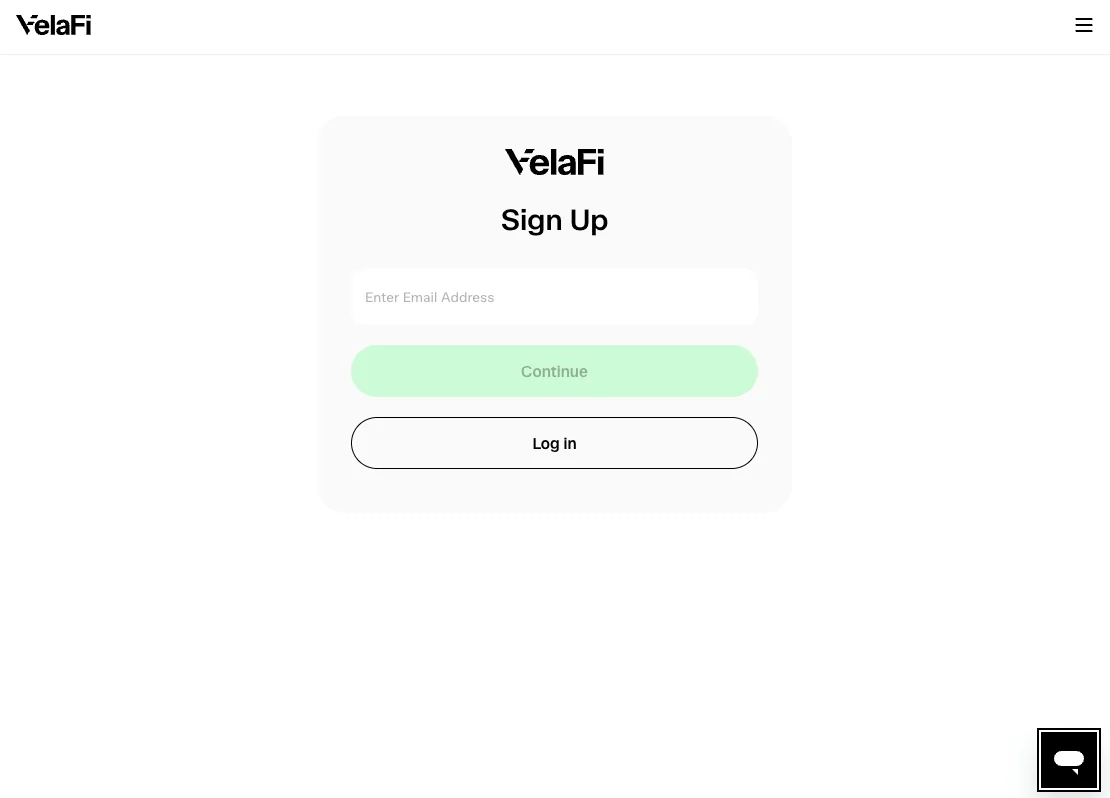
- Create Your VelaFi Account
- Use a corporate email — this becomes the primary admin account for your business
- All KYB notifications (status updates, email invites) will go to this address
Additional team members can be added later from settings
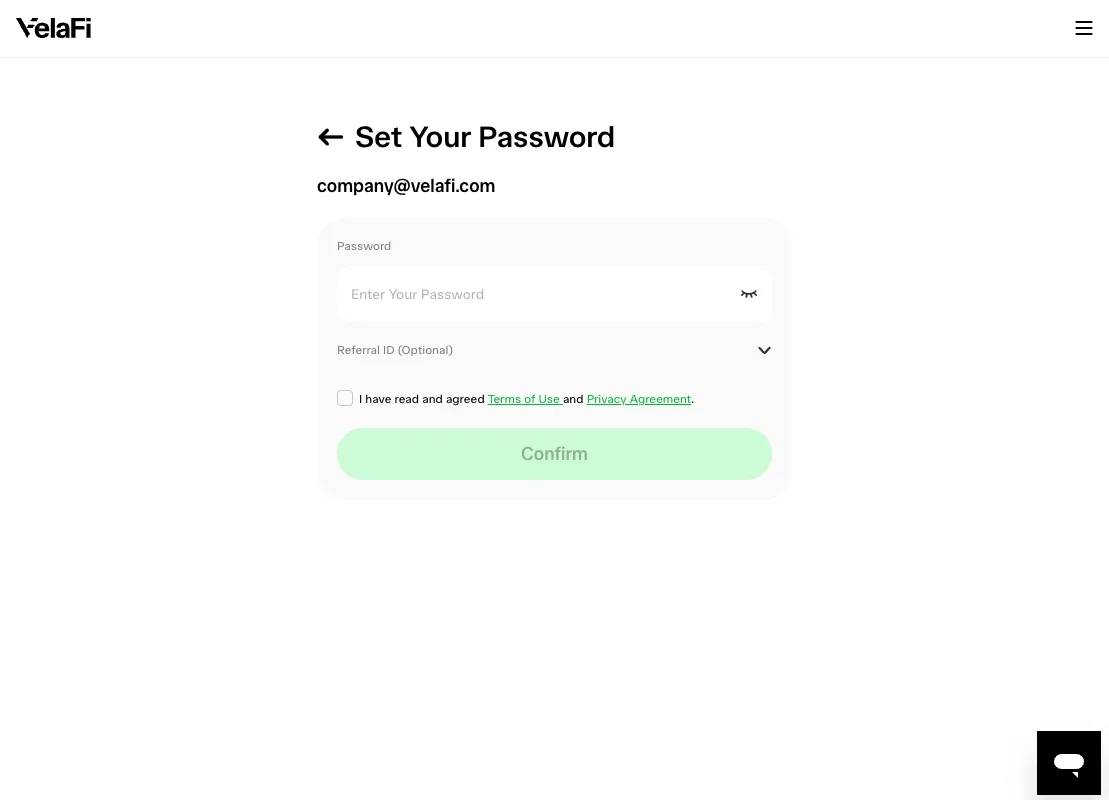
- Set Up a Password
- Minimum requirements: 8+ characters, mix of upper/lower case, numbers
- This password is for the admin user — guard it like a banking credential
Lost passwords can be reset via the email you signed up with
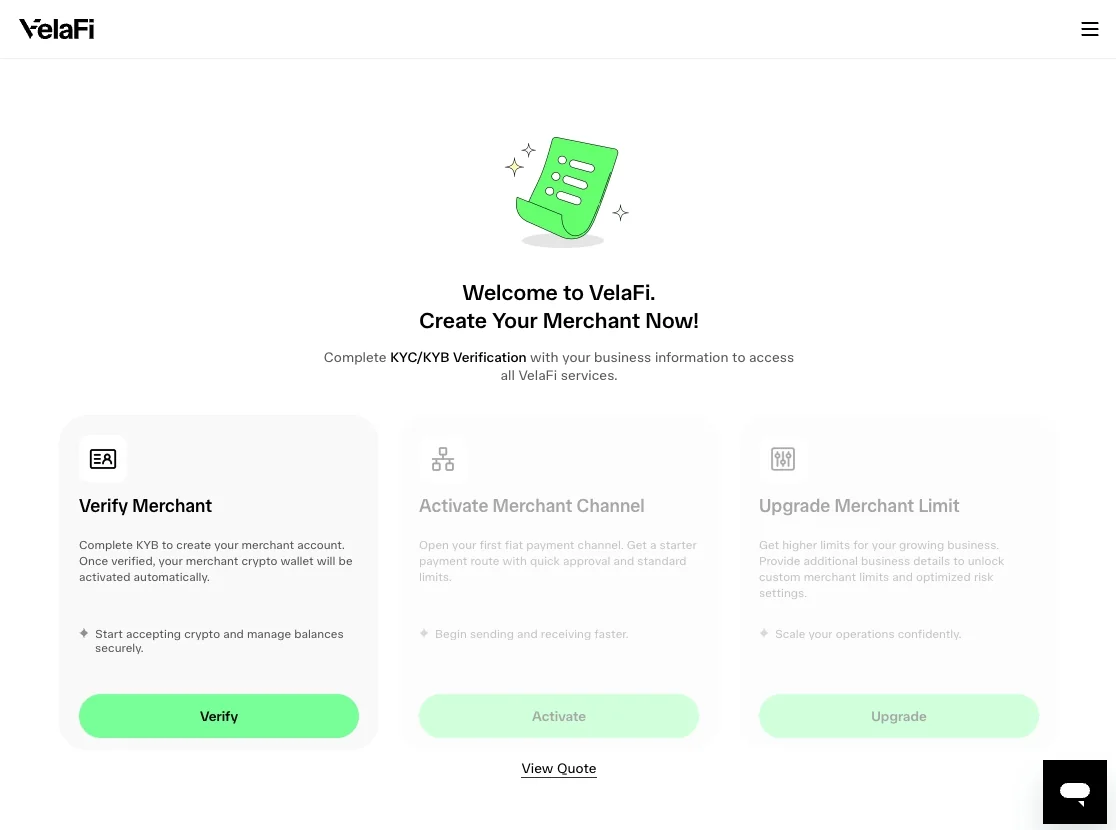
- Get Started — Let's Get Your Business Verified
- KYB is required to send/receive payments on VelaFi
- The flow takes ~10–20 minutes if you have your documents ready
- You can pause and resume anytime — progress saves automatically
Click the verification card to begin
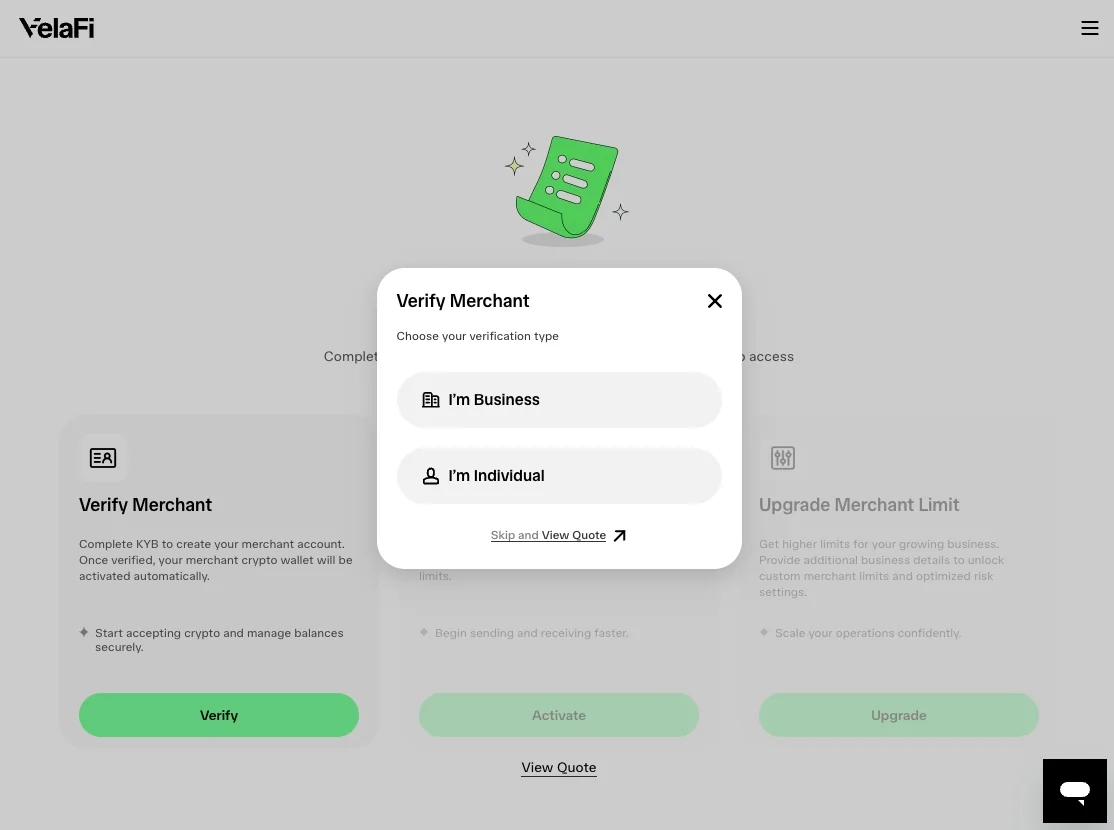
- Choose Your Verification Path
- Pick the option that matches your situation (business vs. individual)
- Your choice determines which fields and documents you'll be asked for
This can't be changed mid-flow — pick carefully
- Start Your Business Verification
- This kicks off the dynamic KYB flow
- Select your country of incorporation
Click 'Confirm' to enter the flow
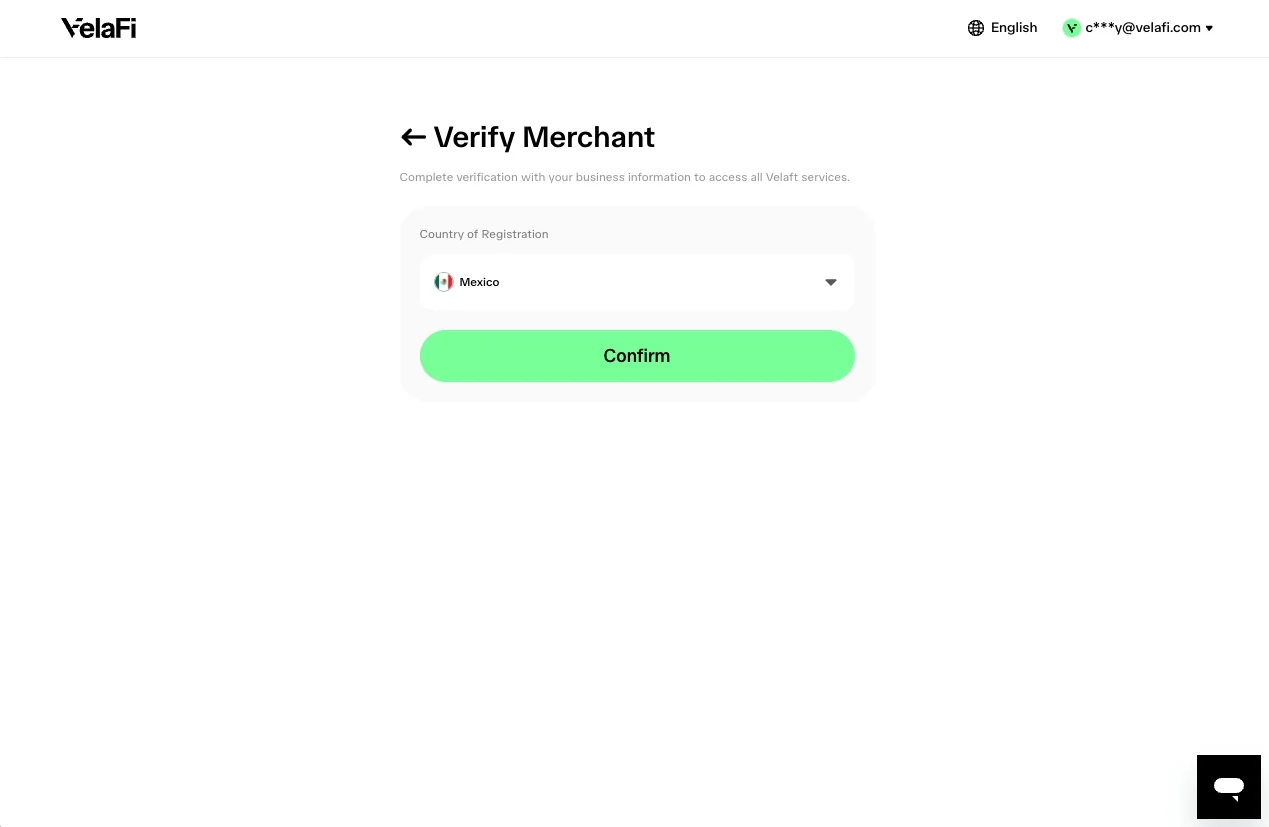
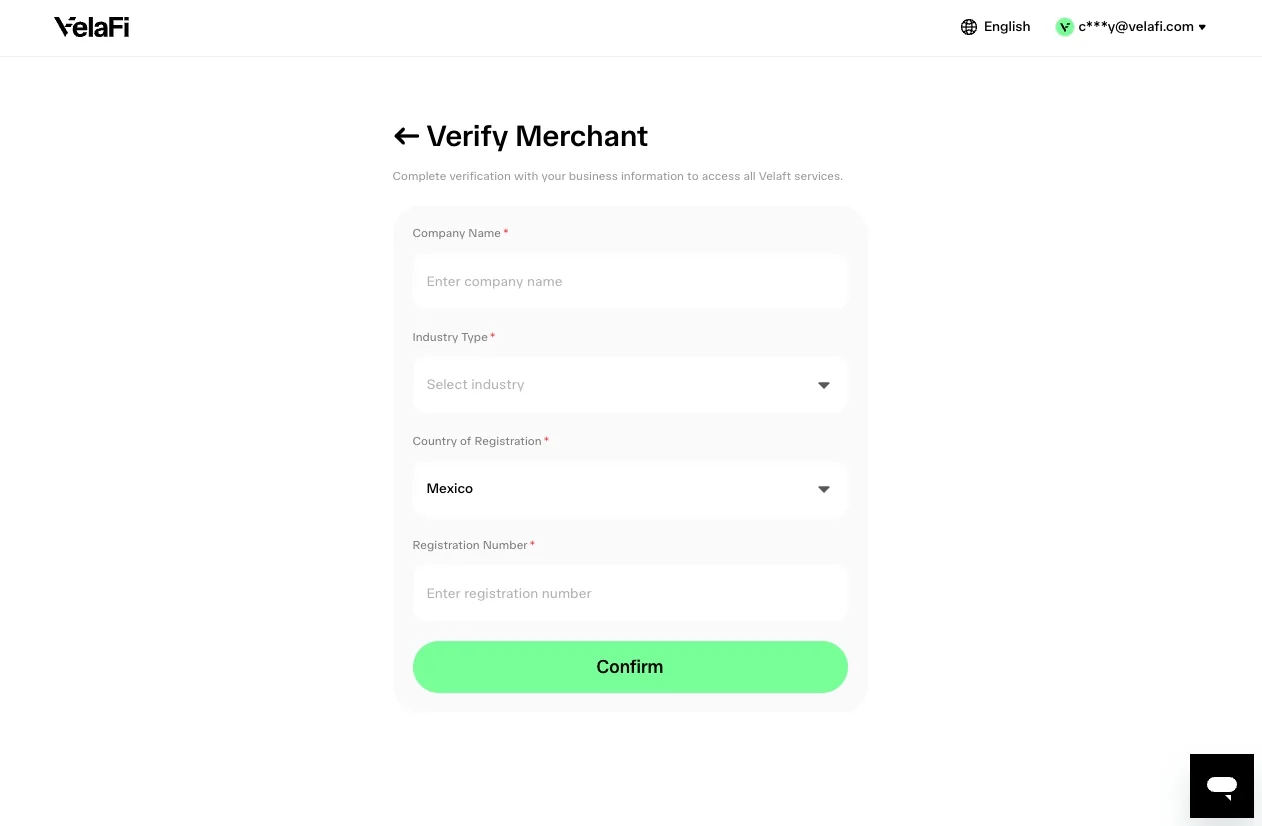
- Tell Us about Your Business
- Enter your registered business name exactly as it appears on incorporation documents
- Select your country of incorporation — this drives which jurisdiction-specific questions you'll see
- Pick your industry from the dropdown
Click 'Confirm' to move forward
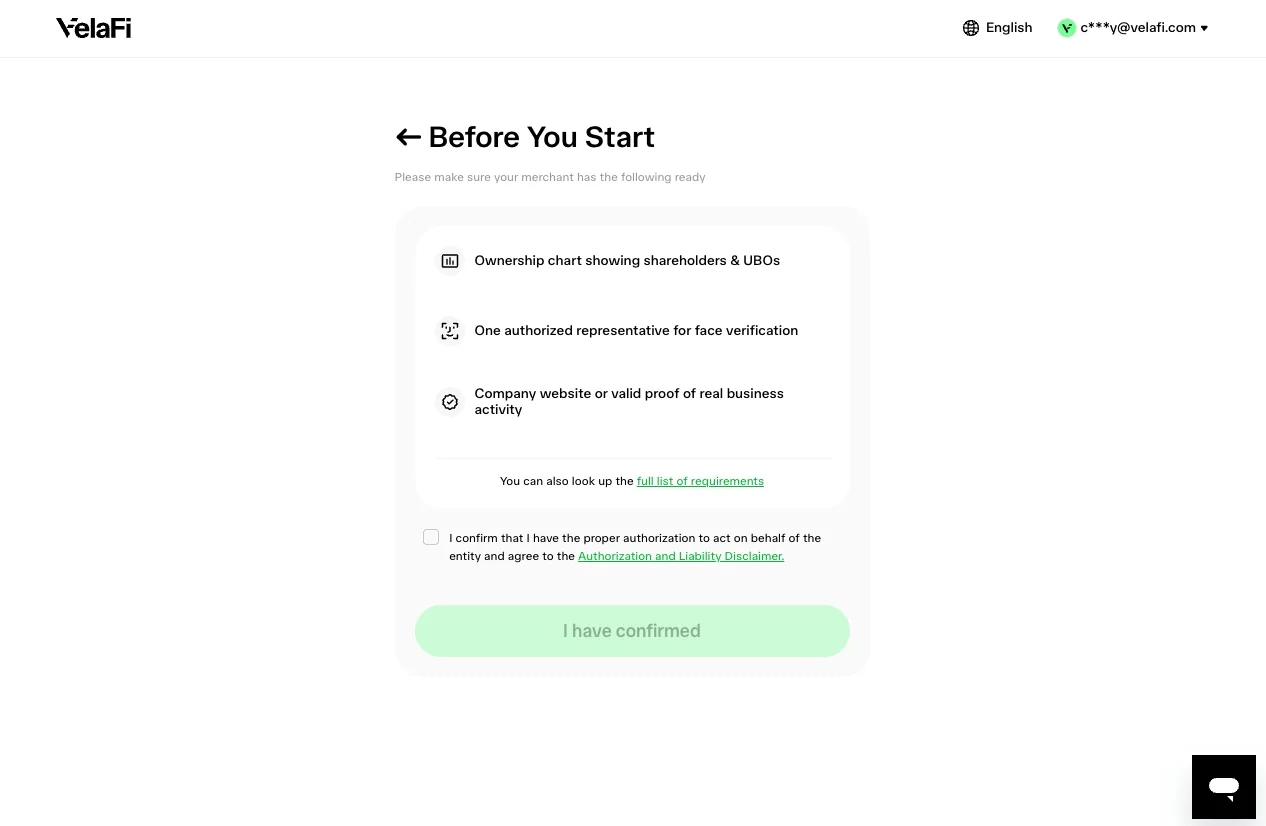
- What We'll Need from You
- We'll ask for company information, shareholders, authorized persons, and documents
Have these ready before you start to avoid pausing:
- Certificate of incorporation
- Government-issued ID for each director/UBO
- Proof of business address (utility bill, lease, or bank statement)
Click 'I have confirmed' when you're ready
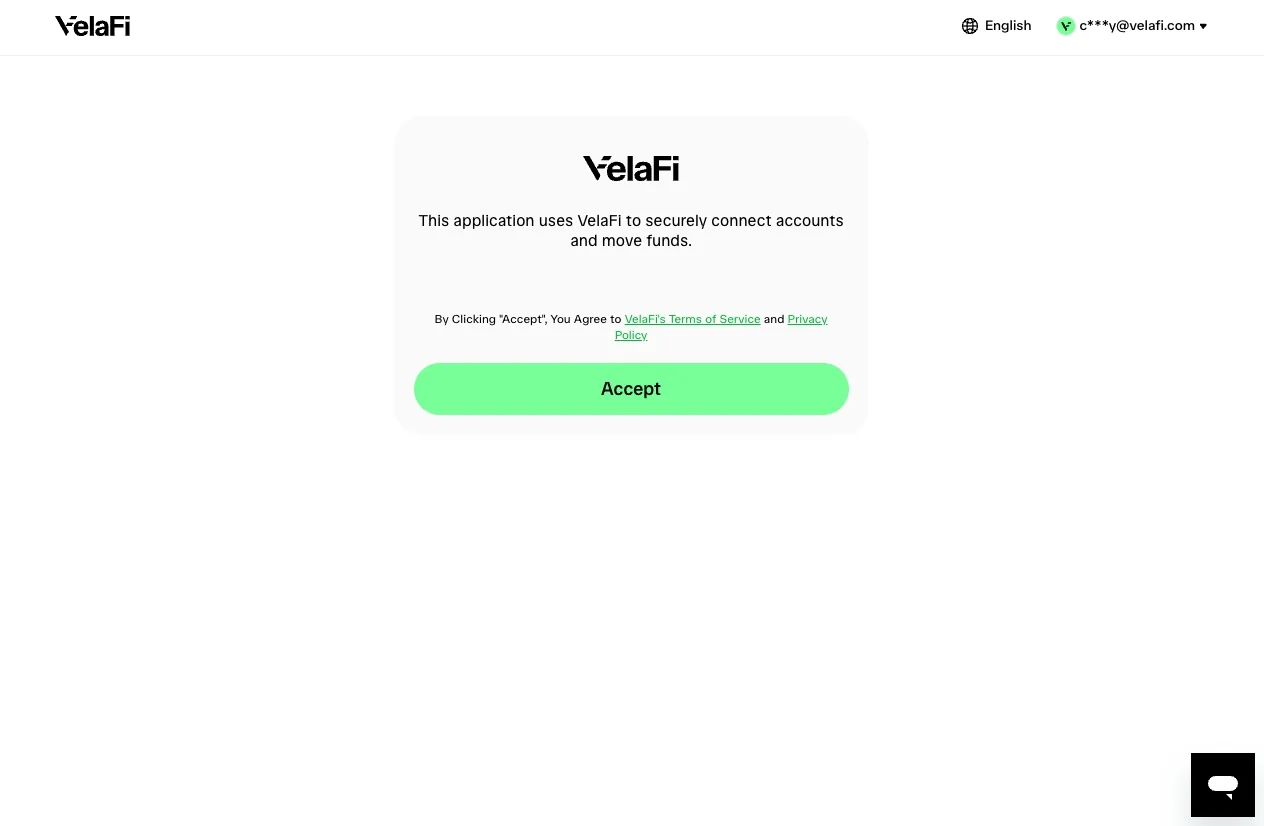
Agree Terms of Services
- Business Overview
- Confirm your business name and any trade names (DBAs)
- Enter your formation date (when the business was incorporated)
- Add your business website if you have one
All fields should match your official registration documents
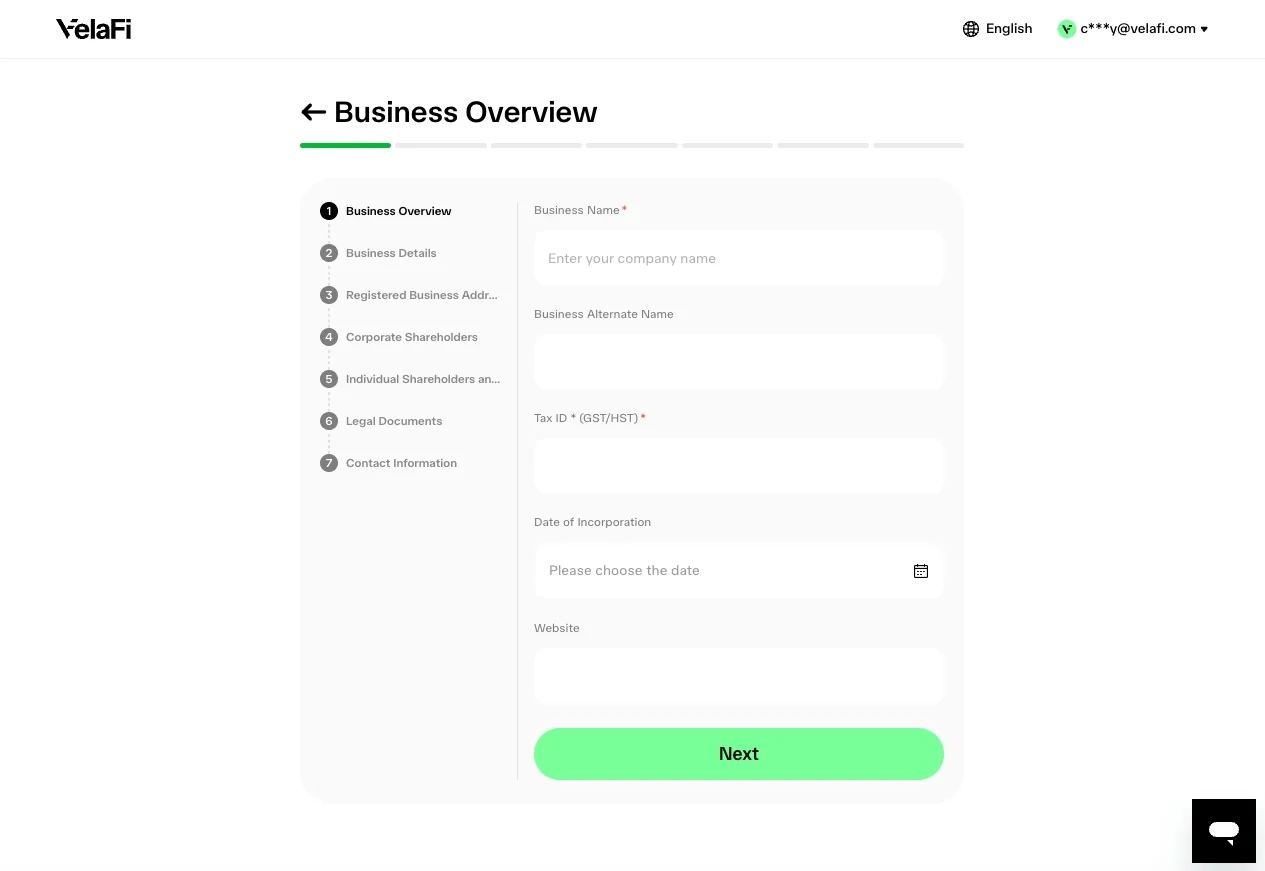
- Business Details
- Enter your tax identification number (e.g., TIN, RFC, CNPJ)
- Add the business entity ID from your government registry
Briefly describe your business activity — this helps our compliance team understand what you do
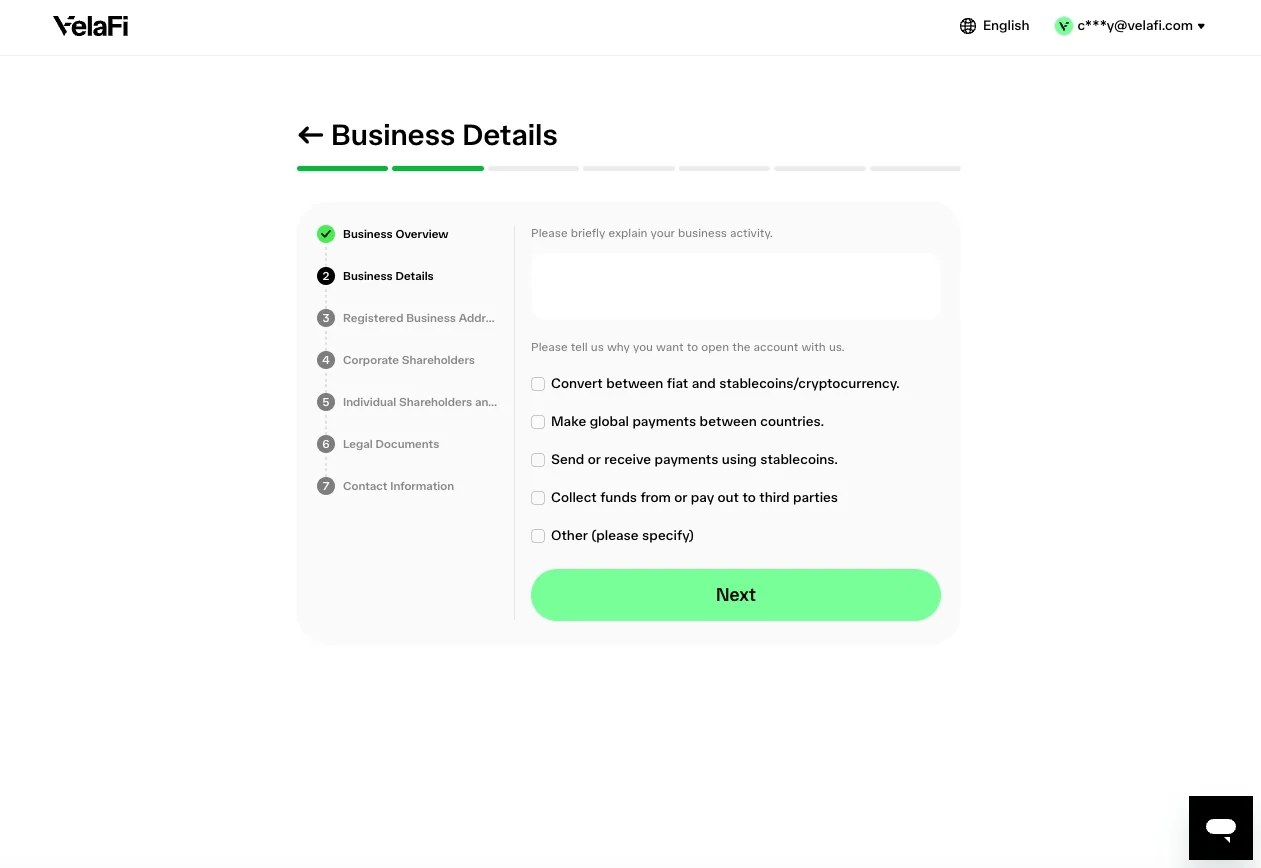
- Registered Business Address
- Enter the official registered address from your incorporation documents
- This may differ from your operational/trading address — use the registered one here
Fill all address fields: street, city, state/province, postal code, country
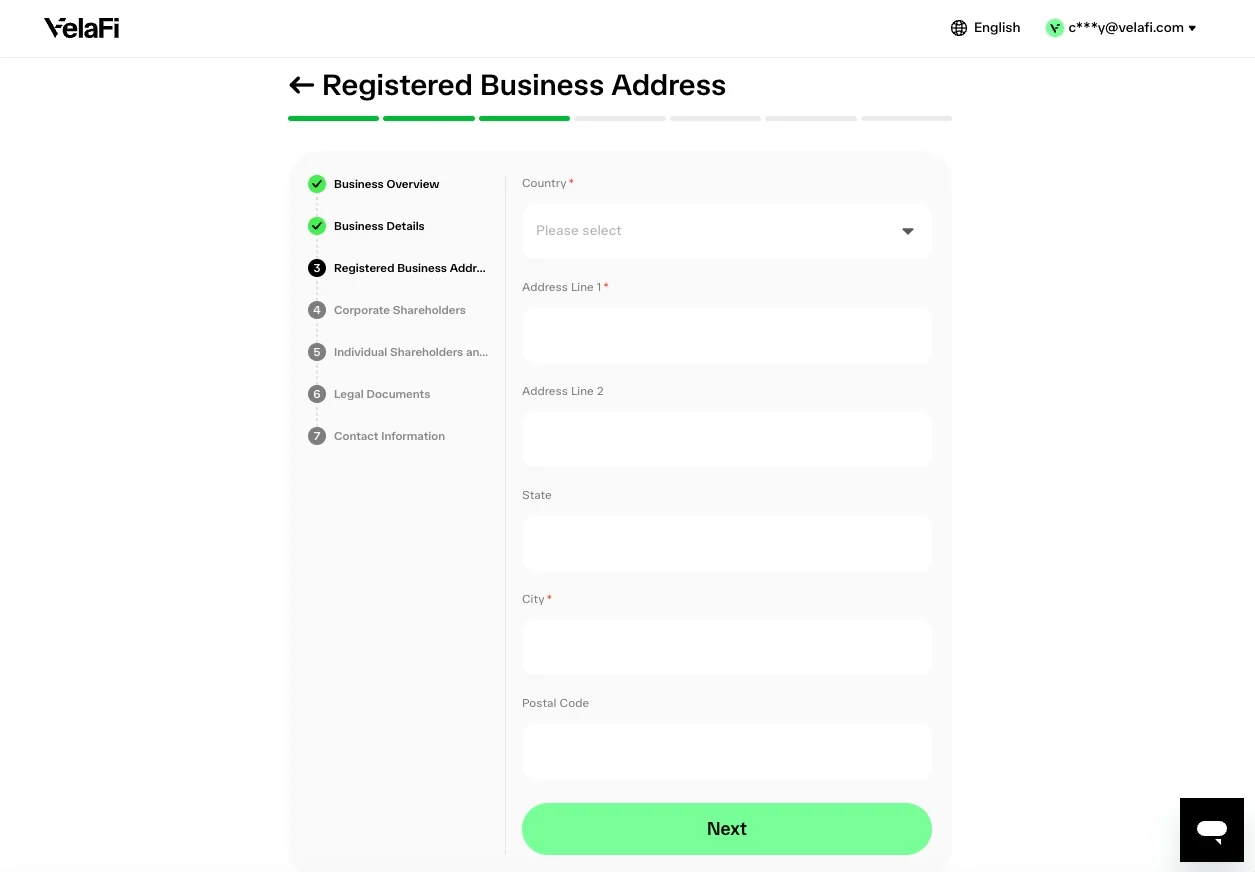
- Corporate Shareholders
- Add any company or entity that owns part of your business (typically 25%+ stakes)
- For each entity, you'll provide: company name, country, ownership %, registration number
Skip this section if there are no corporate shareholders — only individuals
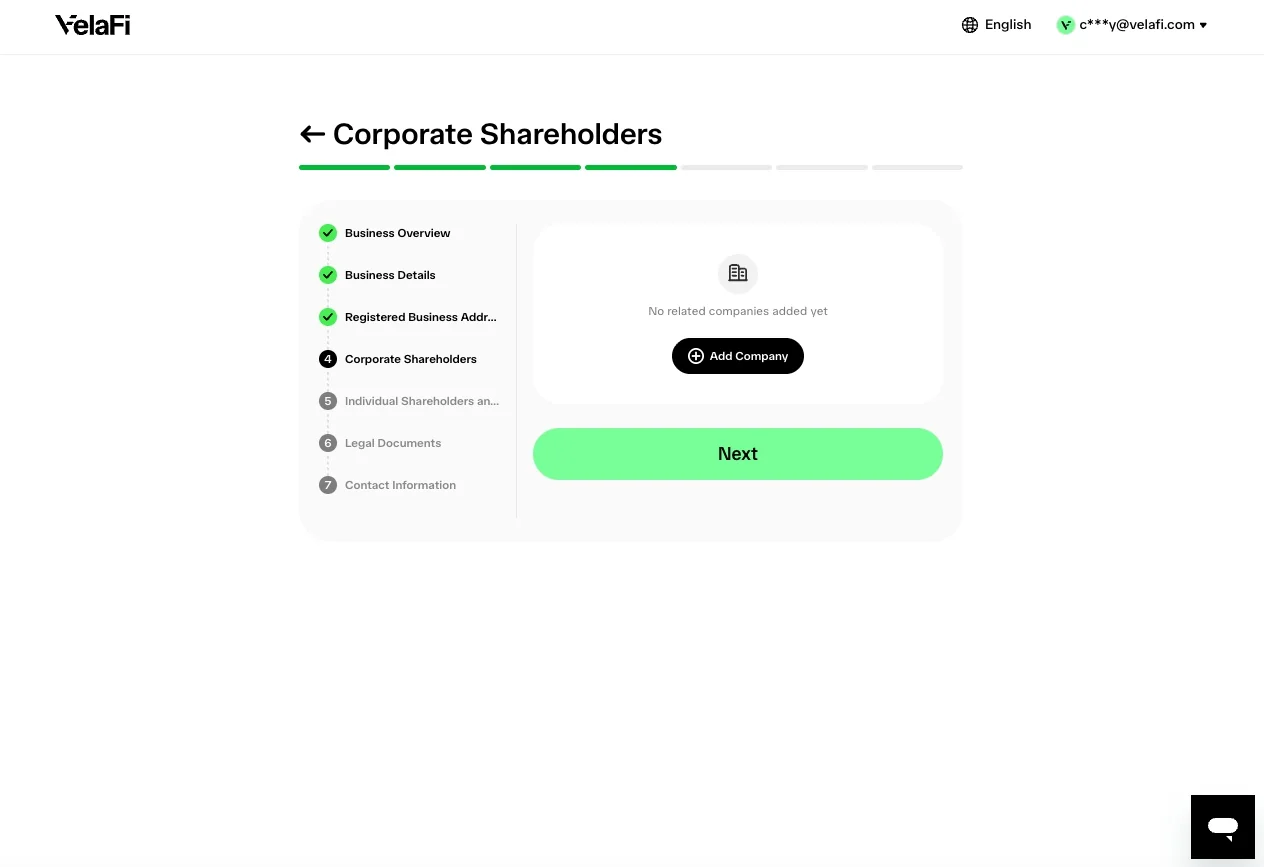
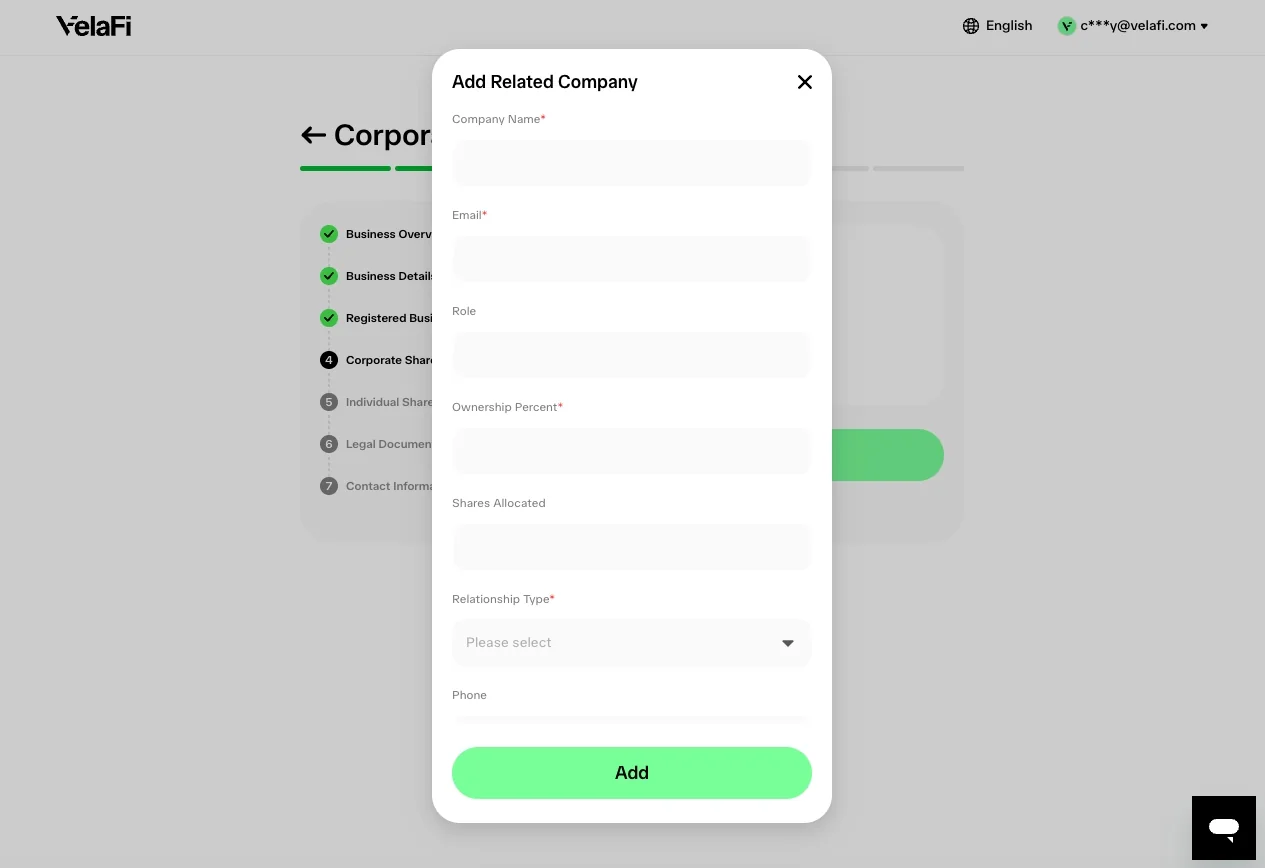
- Add Corporate Shareholder
- Enter the company's legal name, country of incorporation, and ownership percentage
Provide an email address for the shareholder company
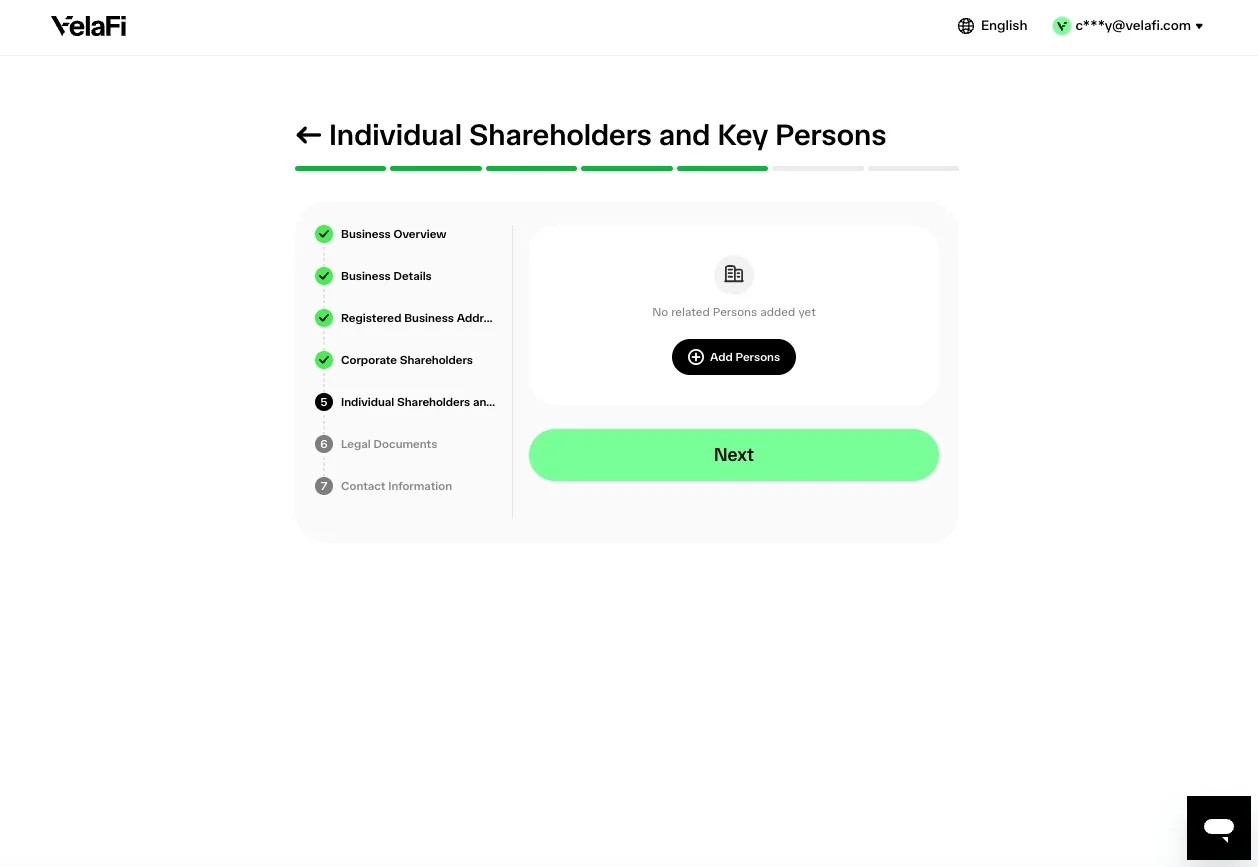
- Individual Shareholders and Authorized Persons
- Add all individuals who: own 25%+ of the business, are directors, or are authorized signatories
- Each UBO will need to verify their identity separately
You can add them now and send invites — they'll receive an email to complete their part
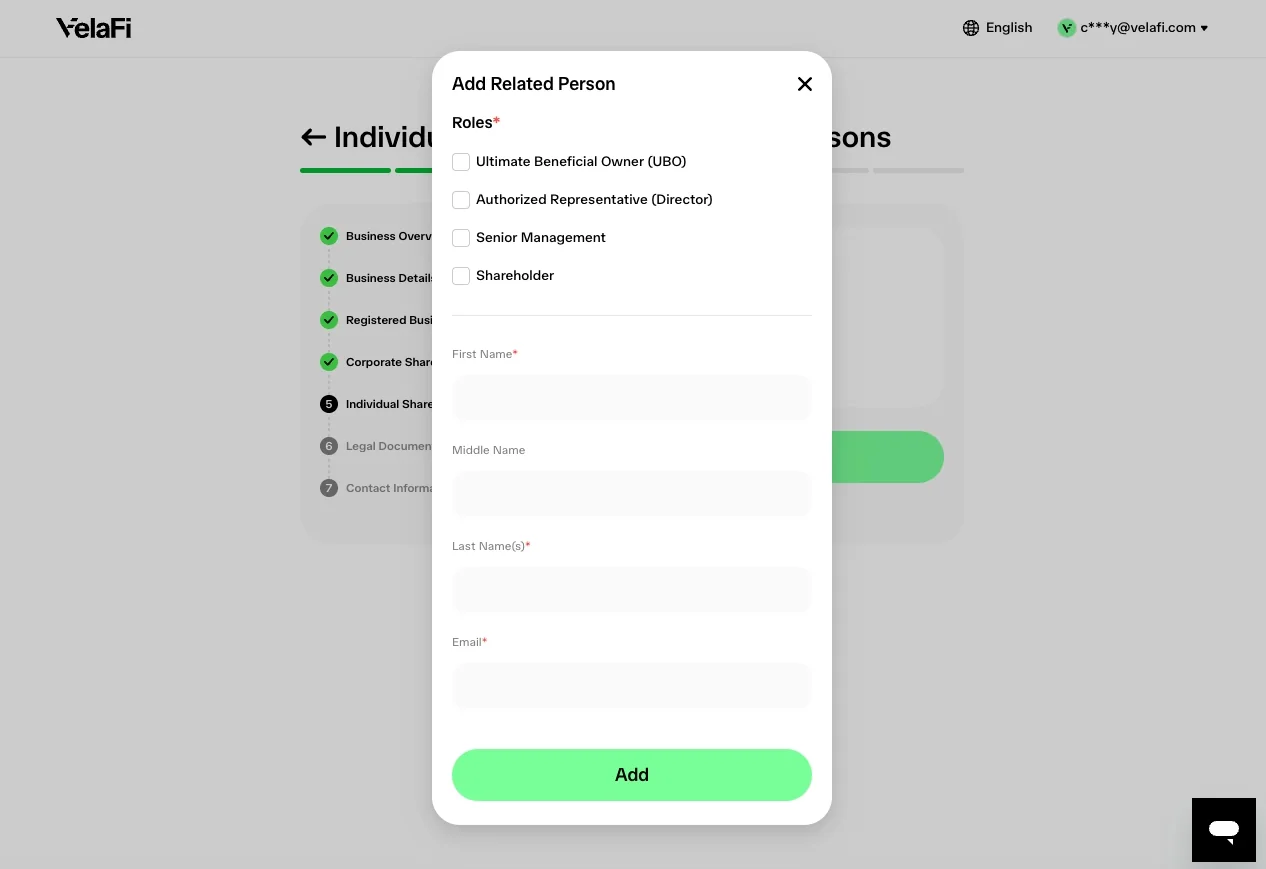
- Add Individual Shareholder
- Enter the person's full name, role(s), and email address
- Select their role(s) — Director, Ultimate Beneficial Owner (UBO), Authorized Representative, etc.
- Some roles, like UBO, require identity verification — an email invite will be sent automatically when you save
Ownership percentage is required for shareholders/UBOs
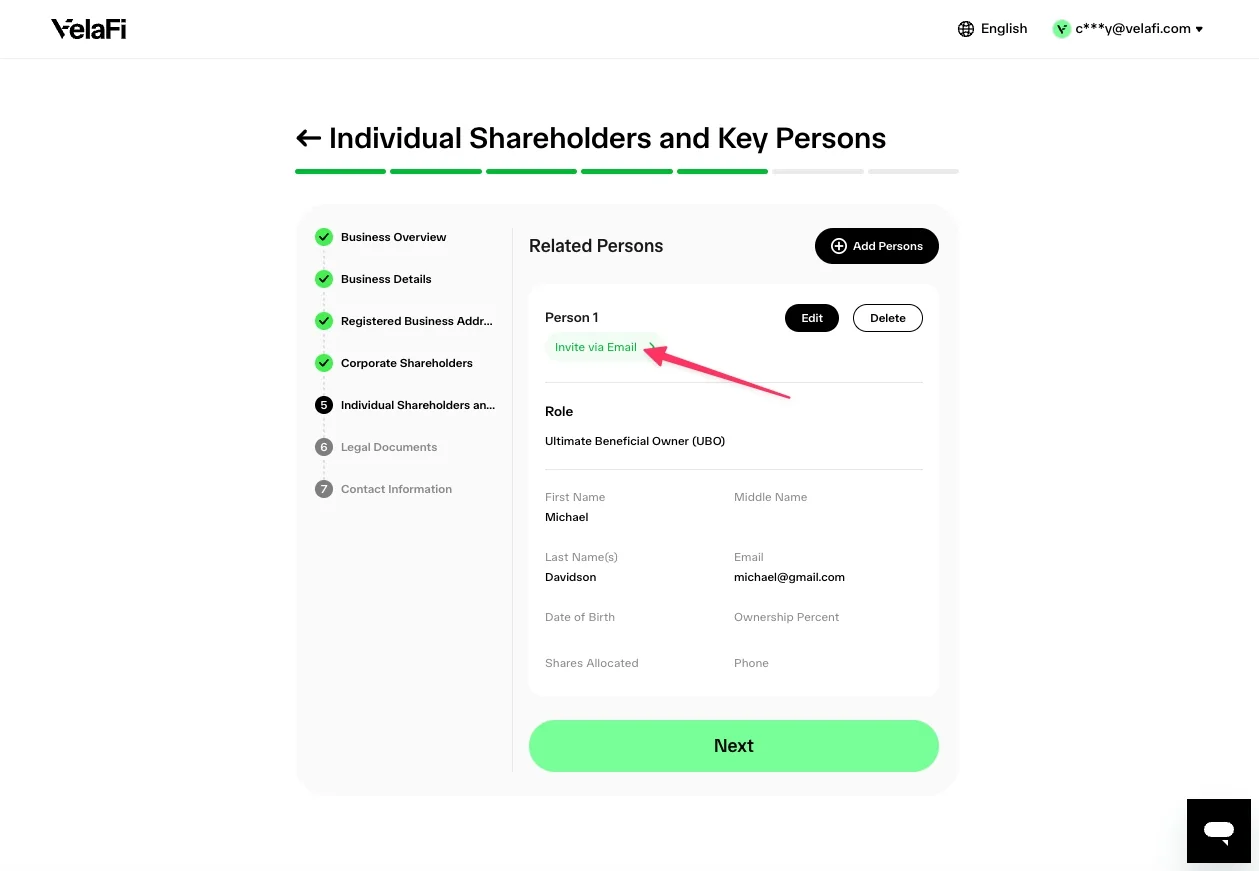
- Invite UBOs for Identity Verification
- Click "Invite via Email" to trigger an email for shareholders' identity verification
All listed UBOs must complete their identity verification before submission goes through
- Upload Legal Documents
- Upload the required documents listed on this screen — they vary by jurisdiction
- Common documents: certificate of incorporation, articles of association, register of directors, register of shareholders
- Accepted formats: PDF, JPG, PNG (max 5MB per file)
Documents must be clear, complete, and current — illegible scans will be rejected
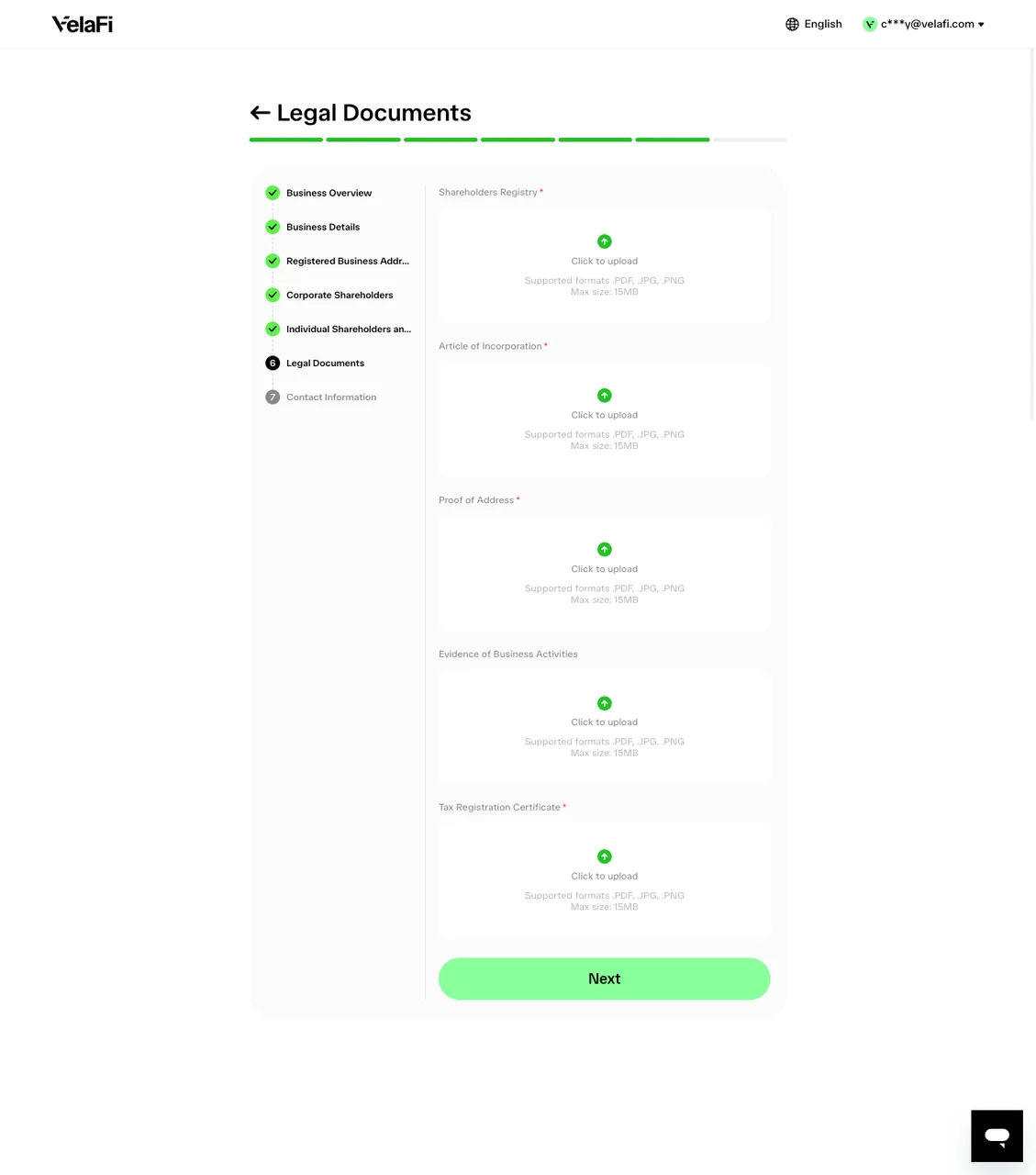
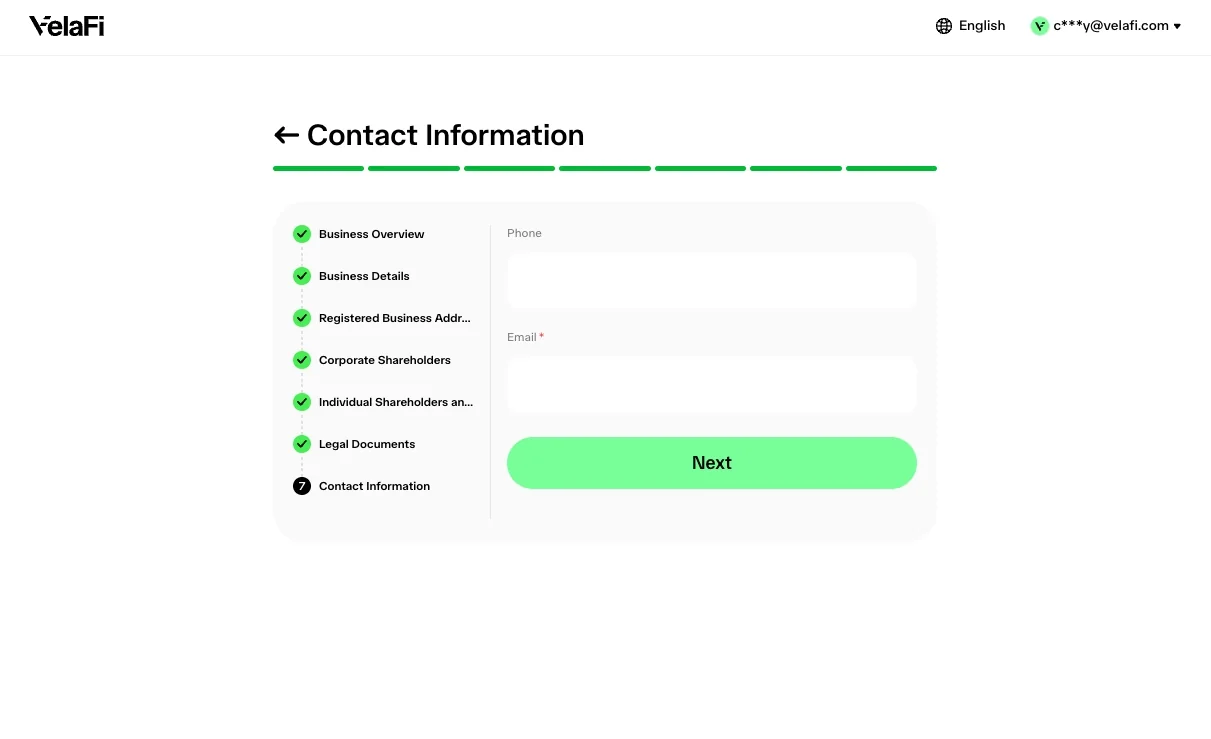
- Contact Information
- Provide a primary contact person for any compliance follow-up
- This person will be reached if our review team needs clarification
Make sure their email and phone are monitored — delayed responses extend review time
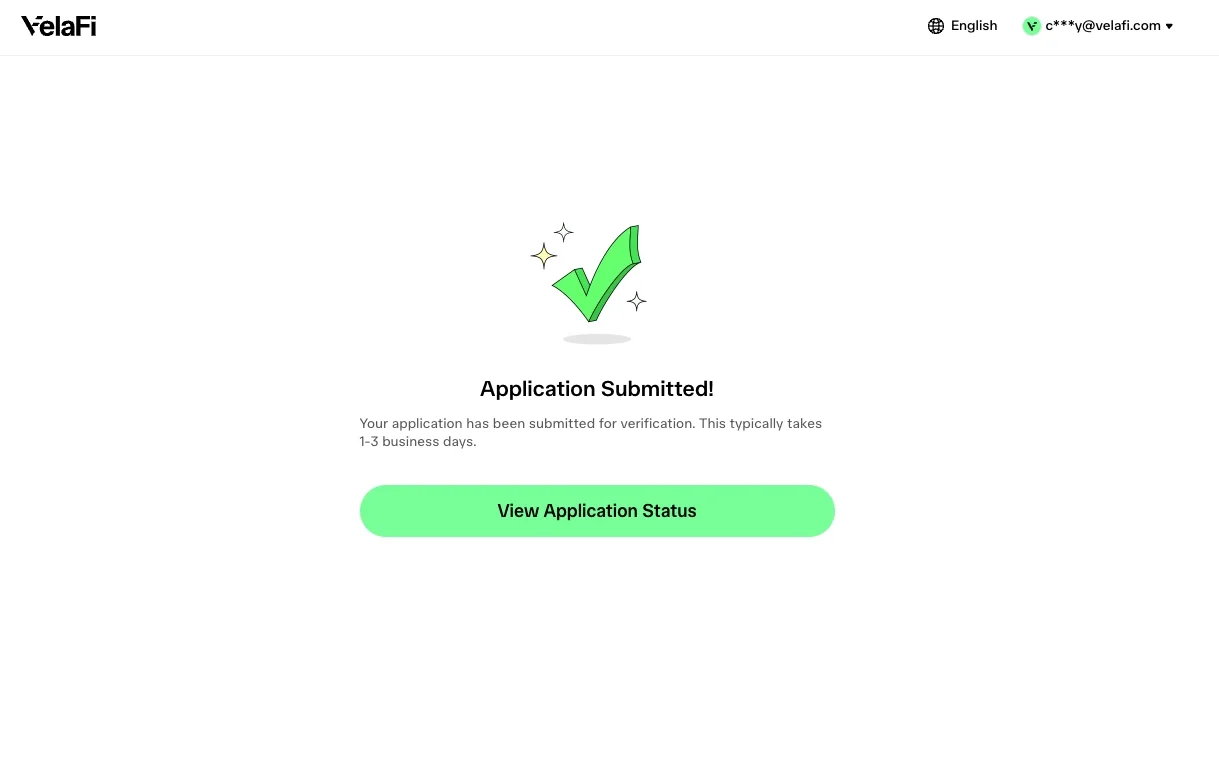
- Application Submitted — your application is under review
- Standard review takes 1–3 business days
- You'll receive an email when there's a decision (approved, rejected, or if more info is needed)
- Check your status anytime from your VelaFi dashboard
If we need additional information, our compliance team will email you directly
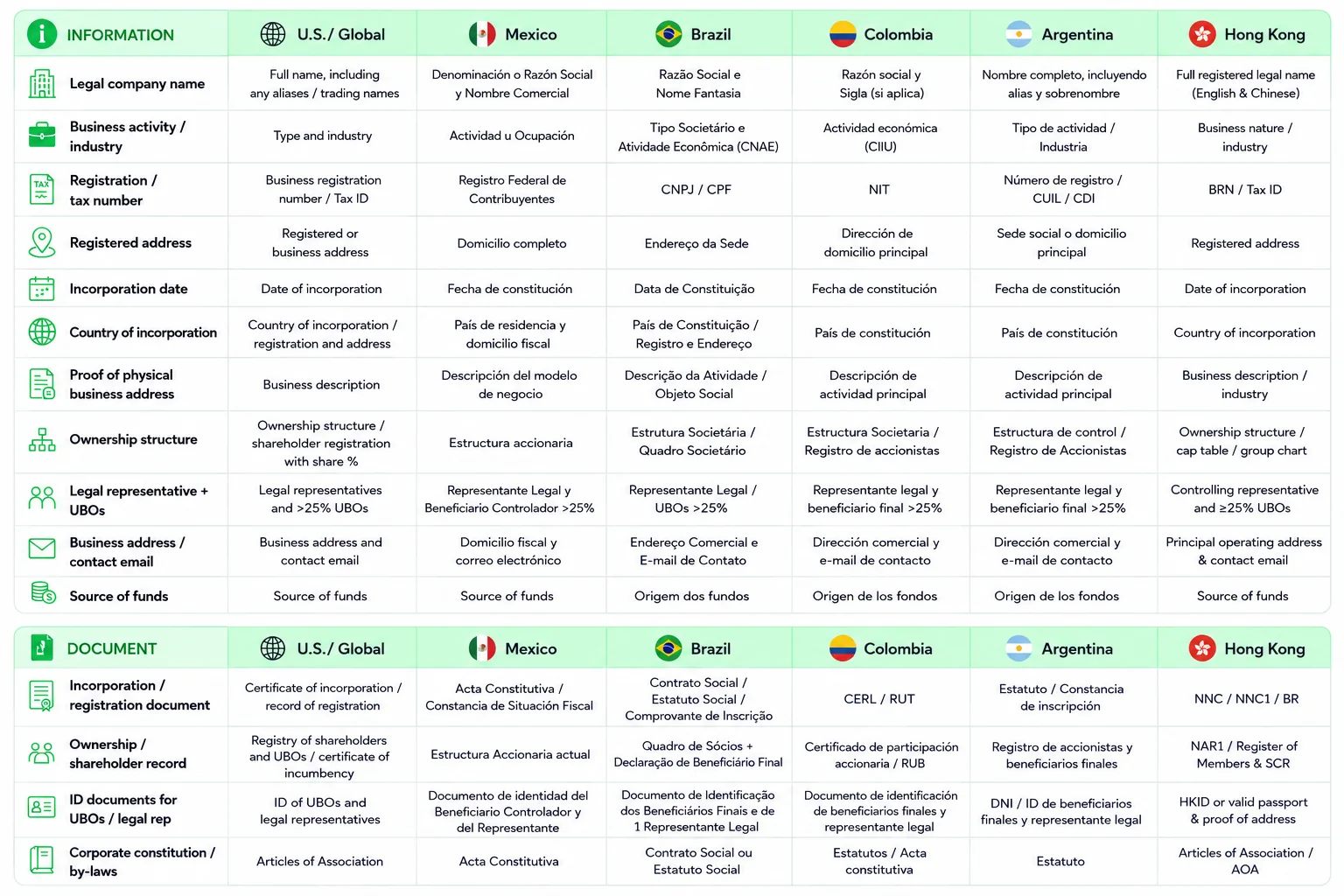
- Field and Document Names by Country
Below is the company information and documents you will provide during onboarding. If you're not sure which local document is being requested, use the table below to find the equivalent name in your market.
Information
Legal company name
* U.S. / Global: Full name, including any aliases / trading names
* Mexico: Denominación o Razón Social y Nombre Comercial
* Brazil: Razão Social e Nome Fantasia
* Colombia: Razón social y Sigla (si aplica)
* Argentina: Nombre completo, incluyendo alias y sobrenombre
* Hong Kong: Full registered legal name (English & Chinese)Business activity / industry
* U.S. / Global: Type and industry
* Mexico: Actividad u Ocupación
* Brazil: Tipo Societário e Atividade Econômica (CNAE)
* Colombia: Actividad económica (CIIU)
* Argentina: Tipo de actividad / Industria
* Hong Kong: Business nature / industryRegistration / tax number
* U.S. / Global: Business registration number / Tax ID
* Mexico: Registro Federal de Contribuyentes
* Brazil: CNPJ / CPF
* Colombia: NIT
* Argentina: Número de registro / CUIL / CDI
* Hong Kong: BRN / Tax IDRegistered address
* U.S. / Global: Registered or business address
* Mexico: Domicilio completo
* Brazil: Endereço da Sede
* Colombia: Dirección de domicilio principal
* Argentina: Sede social o domicilio principal
* Hong Kong: Registered addressIncorporation date
* U.S. / Global: Date of incorporation
* Mexico: Fecha de constitución
* Brazil: Data de Constituição
* Colombia: Fecha de constitución
* Argentina: Fecha de constitución
* Hong Kong: Date of incorporationCountry of incorporation
* U.S. / Global: Country of incorporation / registration and address
* Mexico: País de residencia y domicilio fiscal
* Brazil: País de Constituição / Registro e Endereço
* Colombia: País de constitución
* Argentina: País de constitución
* Hong Kong: Country of incorporationBusiness description
* U.S. / Global: Business description
* Mexico: Descripción del modelo de negocio
* Brazil: Descrição da Atividade / Objeto Social
* Colombia: Descripción de actividad principal
* Argentina: Descripción de actividad principal
* Hong Kong: Business description / industryOwnership structure
* U.S. / Global: Ownership structure / shareholder registration with share %
* Mexico: Estructura accionaria
* Brazil: Estrutura Societária / Quadro Societário
* Colombia: Estructura Societaria / Registro de accionistas
* Argentina: Estructura de control / Registro de Accionistas
* Hong Kong: Ownership structure / cap table / group chartLegal representative + UBOs
* U.S. / Global: Legal representatives and >25% UBOs
* Mexico: Representante Legal y Beneficiario Controlador >25%
* Brazil: Representante Legal / UBOs >25%
* Colombia: Representante legal y beneficiario final >25%
* Argentina: Representante legal y beneficiario final >25%
* Hong Kong: Controlling representative and ≥25% UBOsBusiness address / contact email
* U.S. / Global: Business address and contact email
* Mexico: Domicilio fiscal y correo electrónico
* Brazil: Endereço Comercial e E-mail de Contato
* Colombia: Dirección comercial y e-mail de contacto
* Argentina: Dirección comercial y e-mail de contacto
* Hong Kong: Principal operating address & contact emailSource of funds
* U.S. / Global: Source of funds
* Mexico: Source of funds
* Brazil: Origem dos fundos
* Colombia: Origen de los fondos
* Argentina: Origen de los fondos
* Hong Kong: Source of funds
Document
Incorporation / registration document
* U.S.: Certificate of Incorporation / Record of Registration
* Mexico: Acta Constitutiva / Constancia de Situación Fiscal
* Brazil: Contrato Social / Estatuto Social / Comprovante de Inscrição
* Colombia: CERL / RUT
* Argentina: Estatuto / Constancia de inscripción
* Hong Kong: NNC / NNC1 / BROwnership / shareholder record
* U.S.: Registry of shareholders and UBOs / Certificate of Incumbency
* Mexico: Estructura Accionaria actual
* Brazil: Quadro de Sócios + Declaração de Beneficiário Final
* Colombia: Certificado de participación accionaria / RUB
* Argentina: Registro de accionistas y beneficiarios finales
* Hong Kong: NAR1 / Register of Members & SCRID documents for UBOs / legal representative
* U.S.: ID of UBOs and legal representatives
* Mexico: Documento de identidad del Beneficiario Controlador y del Representante
* Brazil: Documento de Identificação dos Beneficiários Finais e de 1 Representante Legal
* Colombia: Documento de identificación de beneficiarios finales y representante legal
* Argentina: DNI / ID de beneficiarios finales y representante legal
* Hong Kong: HKID or valid passport & proof of addressCorporate constitution / by-laws
* U.S.: Articles of Association
* Mexico: Acta Constitutiva
* Brazil: Contrato Social ou Estatuto Social
* Colombia: Estatutos / Acta constitutiva
* Argentina: Estatuto
* Hong Kong: Articles of Association / AOA