
Follow the steps below to change your login password:
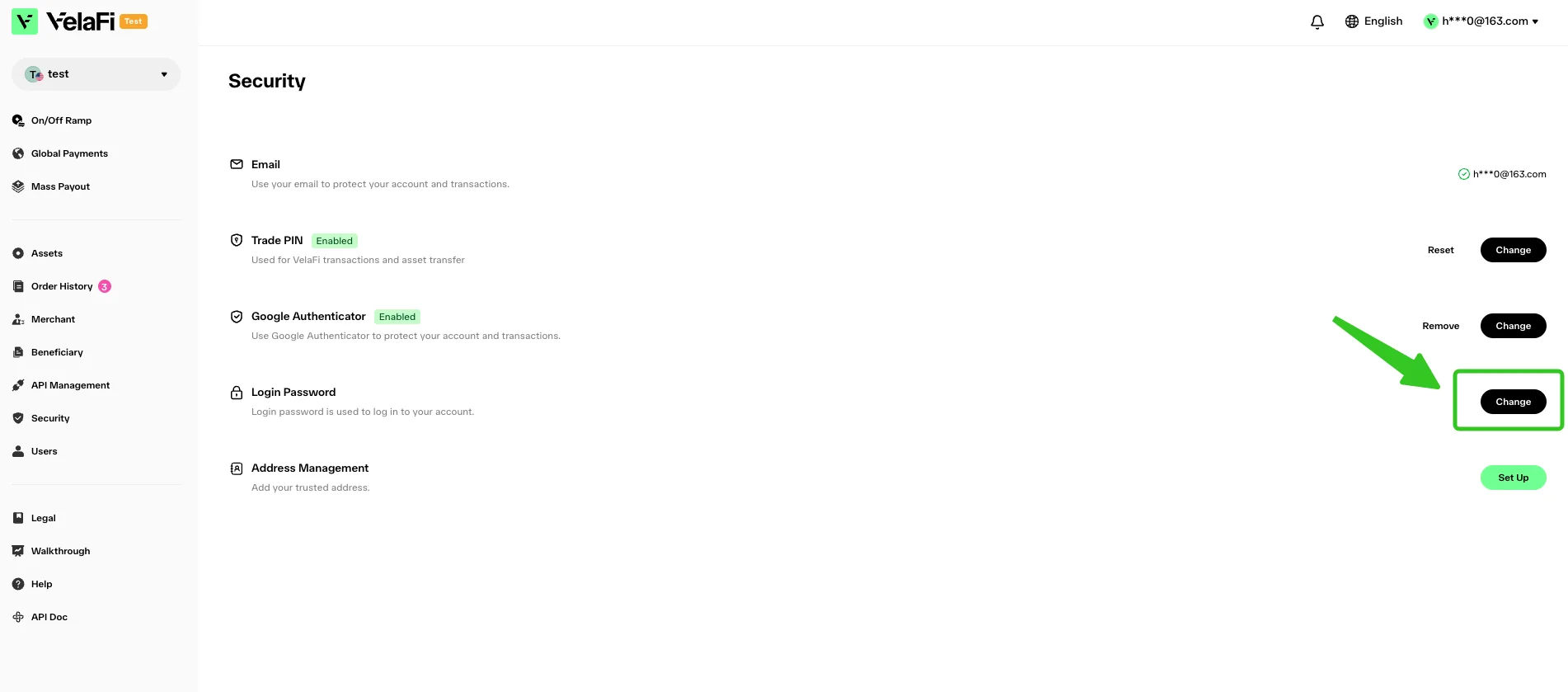
- Log in to your VelaFi dashboard and select 'Security' from the left-hand navigation menu.
Locate 'Login Password' and click the 'Change' button on the right.
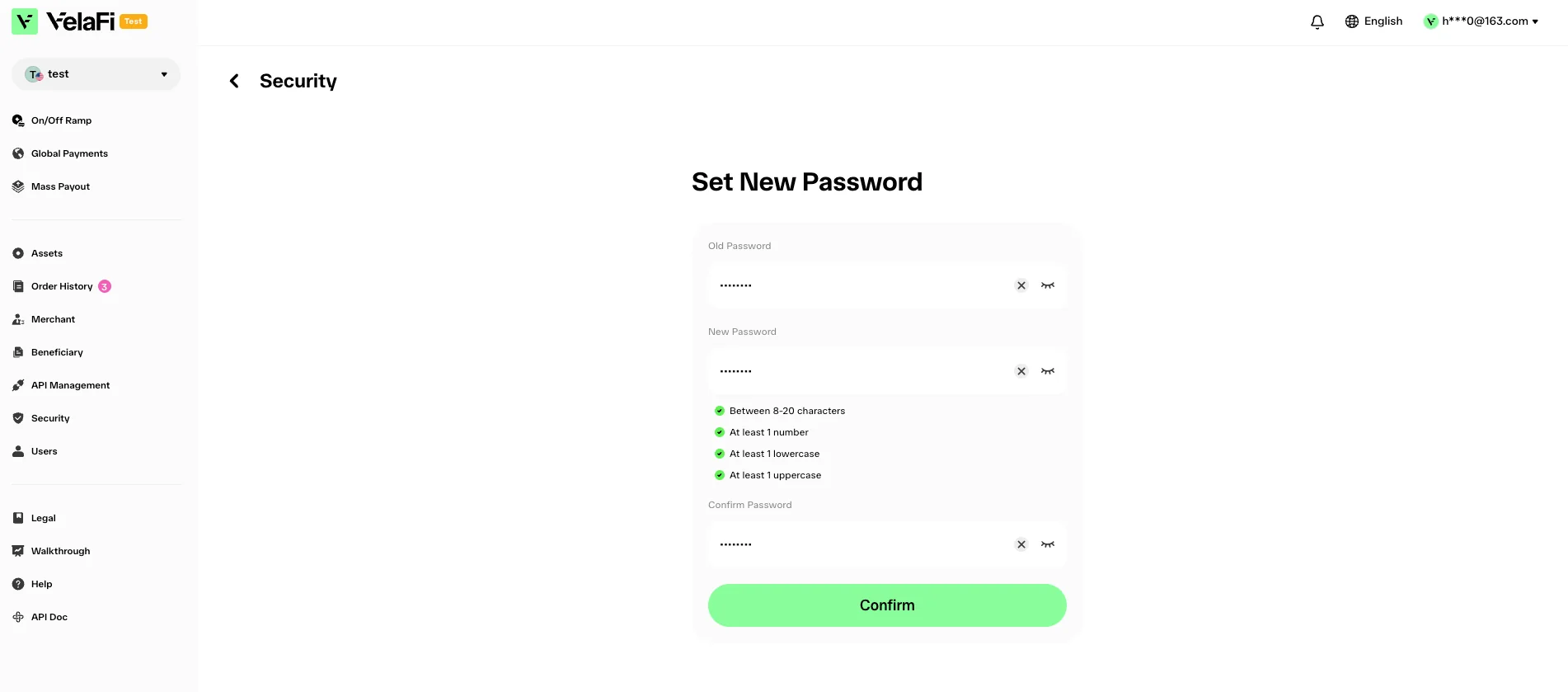
- Enter your current login password and set a new password.
Click 'Confirm' to save your new login password.
A verification email will be sent to the email address linked to your VelaFi account. Open the email and complete the verification to finish changing your password.
Note:
In order to protect your account, withdrawals may be temporarily disabled for 24 hours after you change your password.
If you are unable to log in to your VelaFi account or no longer have access to the email address linked to your account, please contact our customer service for assistance.