
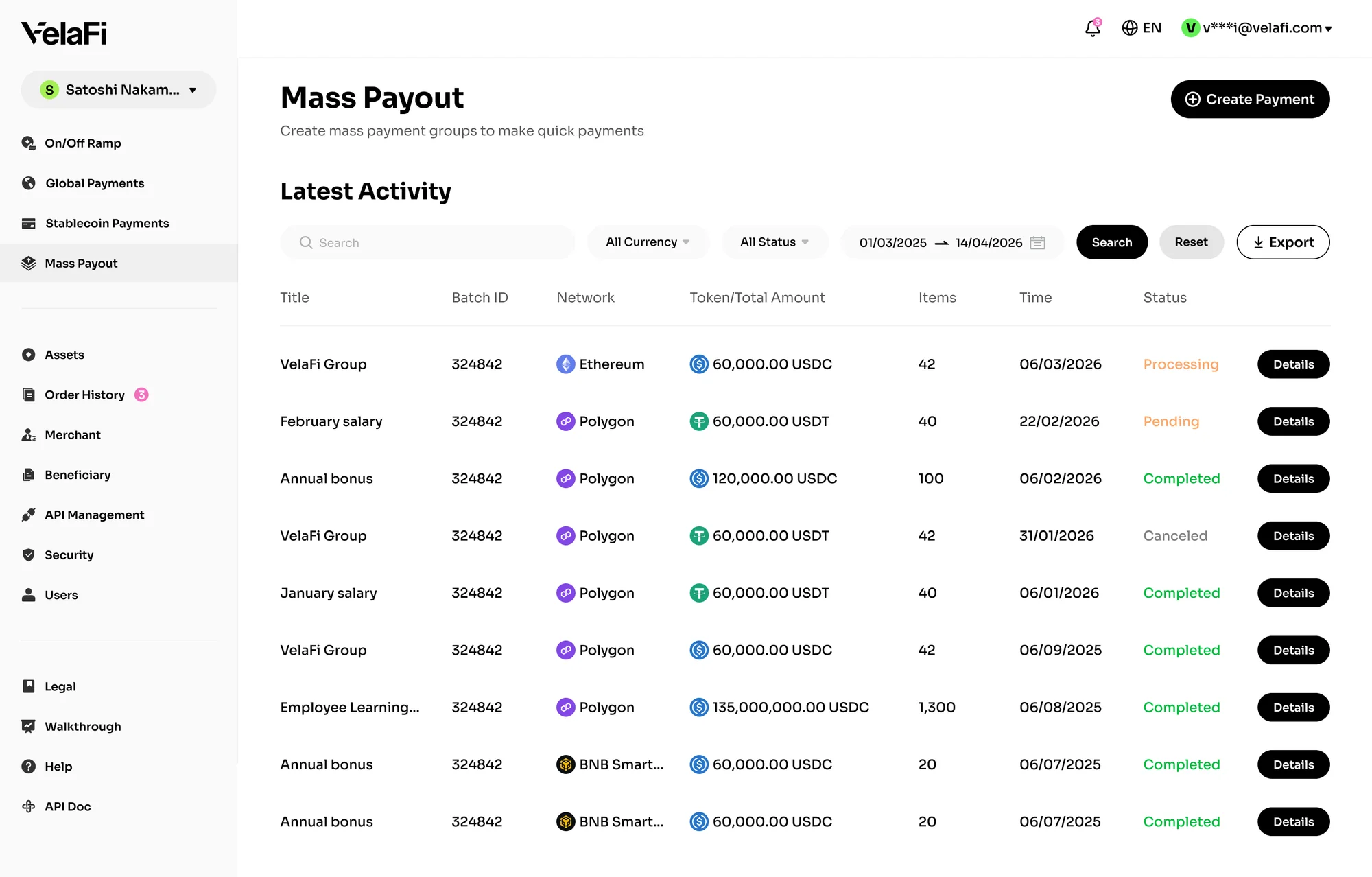
VelaFi’s Mass Payout feature enables businesses to distribute stablecoin payments to multiple recipients through a single CSV upload, helping streamline large-scale fund distribution with greater speed and efficiency.
To enable this feature, please contact the VelaFi Business Team or Customer Service to apply for activation.
Use Cases
- Merchant batch settlements
- Bulk user withdrawals
- Channel commission payouts
- Payroll and incentive distributions
Multi-address fund distributions
How to Use Mass Payout
- Log in to the VelaFi Web and select 'Mass Payout' from the left-side navigation menu.
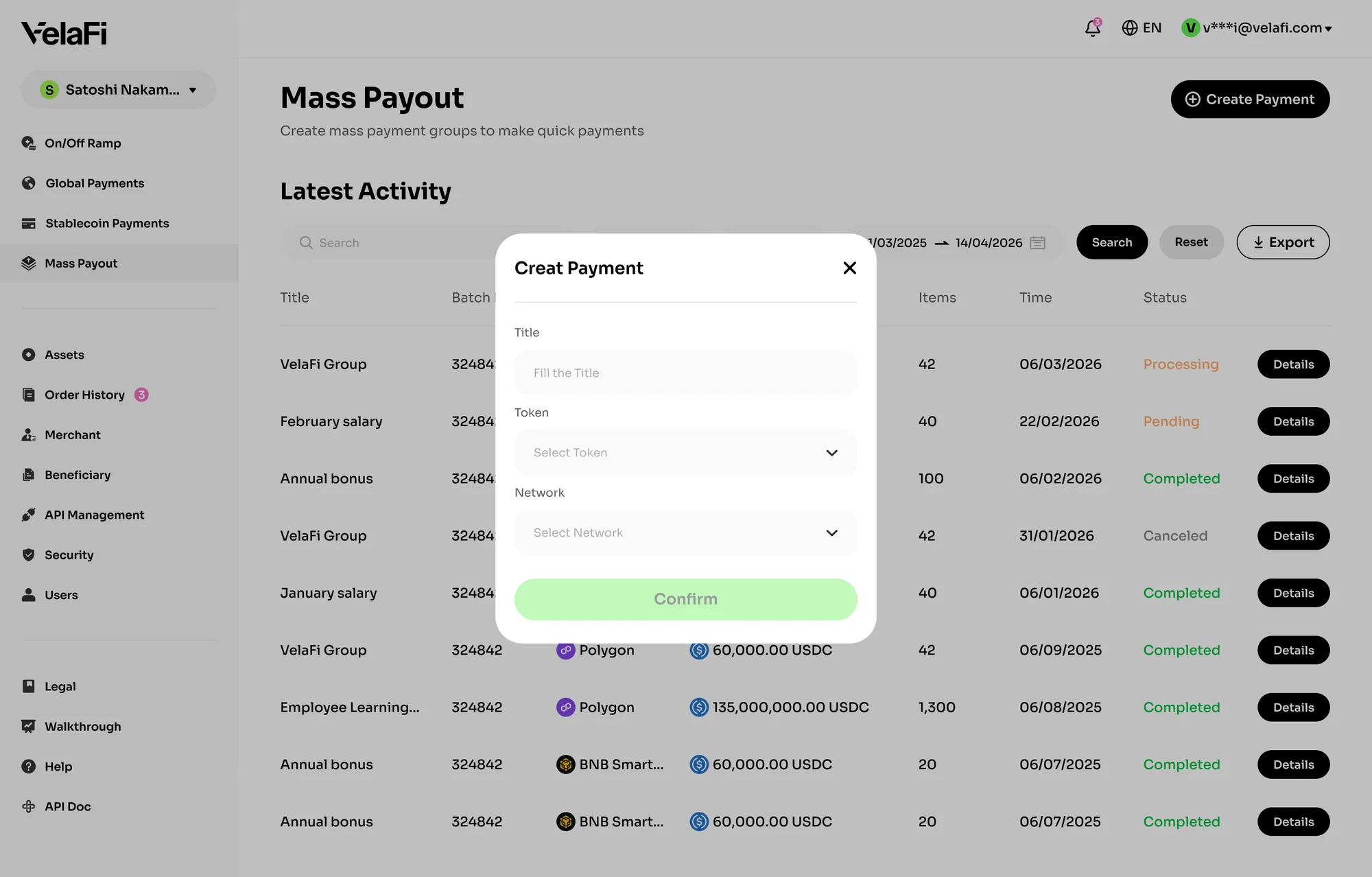
- Click 'Create Payment' in the upper-right corner of the page.
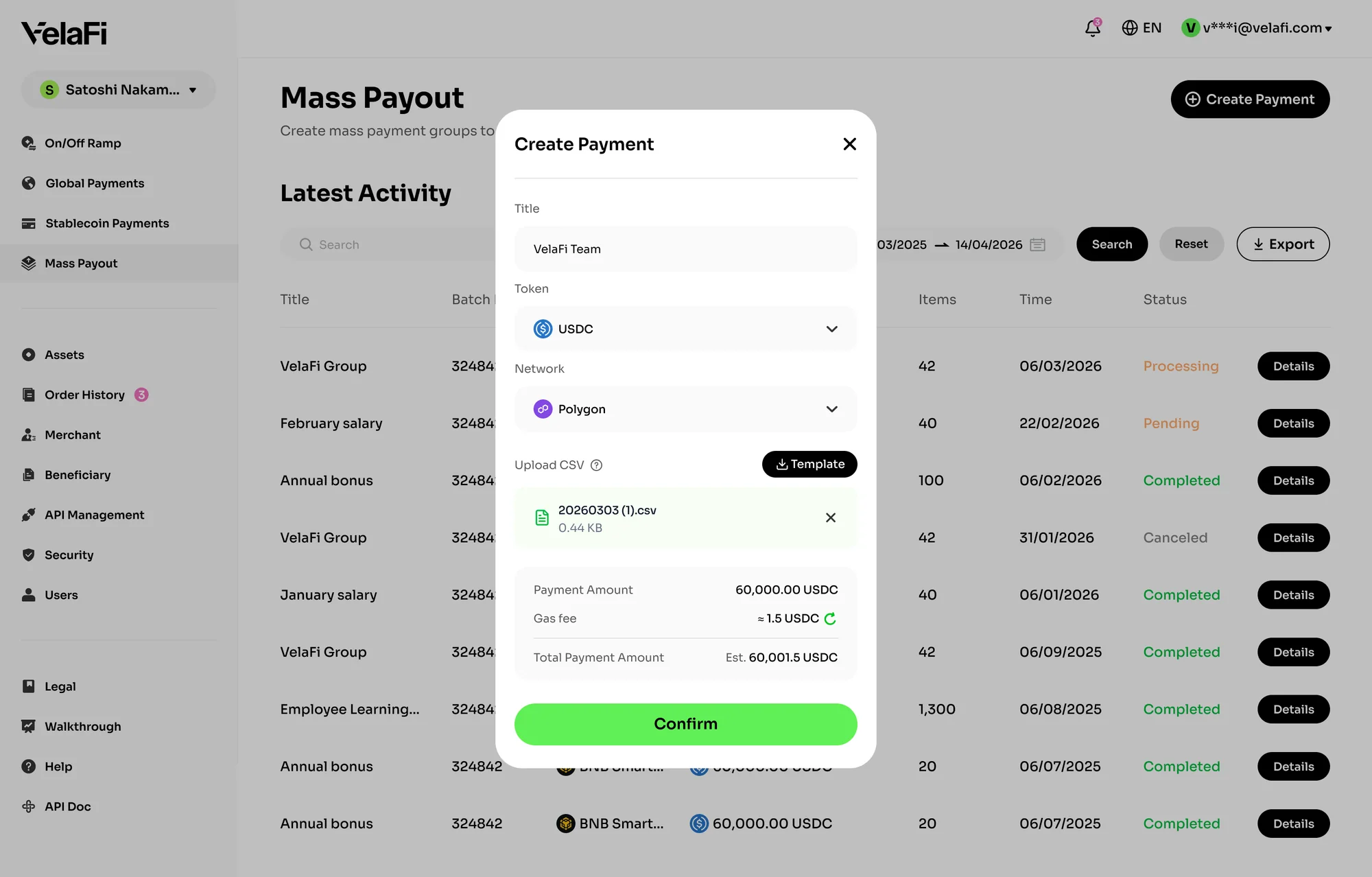
Customize the payment name, then select the payment token and network.
Download the official CSV template, complete the required fields according to the provided format, and re-upload the file. (Note: Please make sure to use the official CSV template. Files that do not follow the required format may fail to import correctly. For more information, please refer to CSV Upload Requirements)
- After the file is uploaded, the system will automatically validate and parse the data. A successful upload indicates that the file has passed validation.
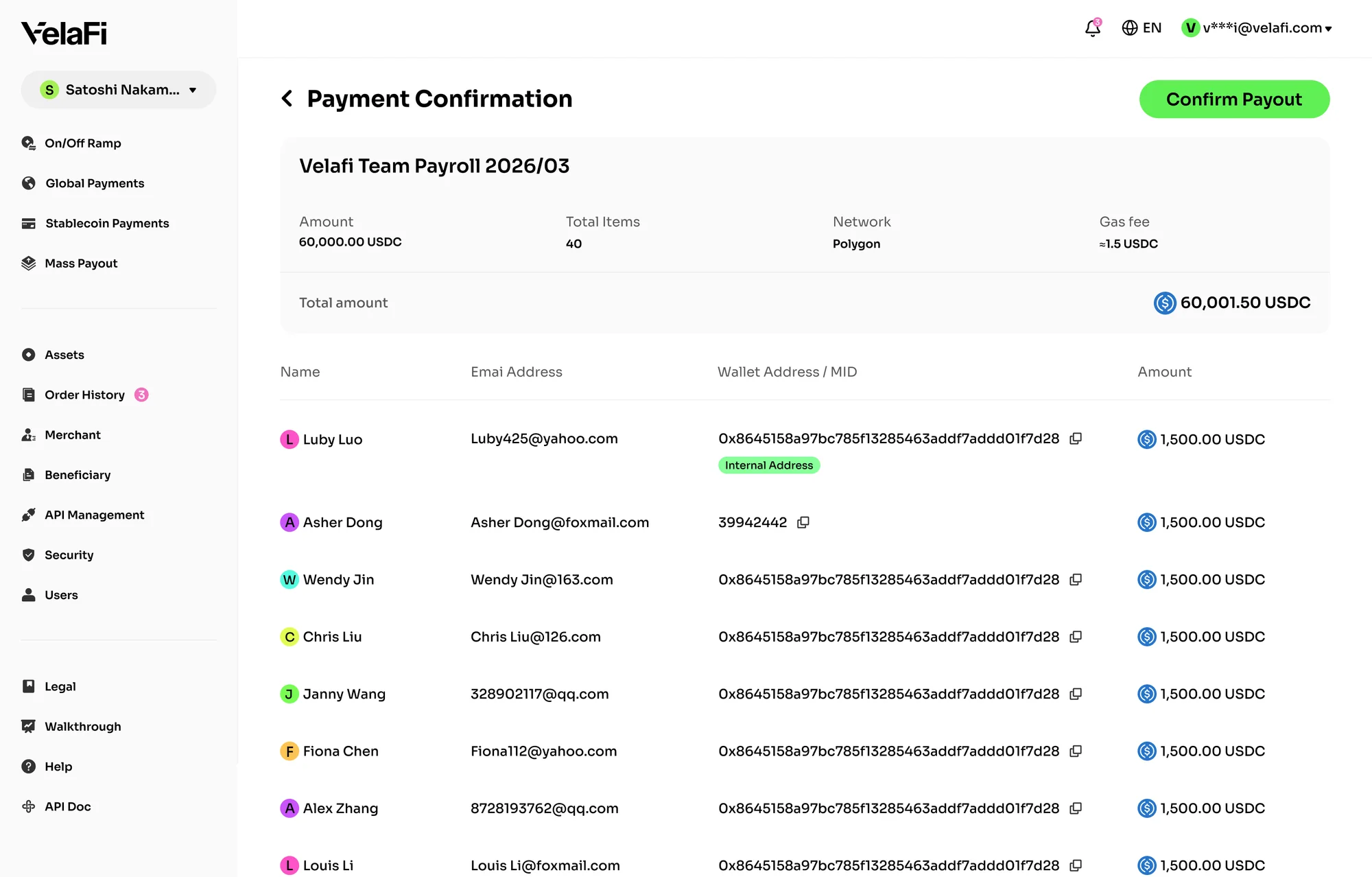
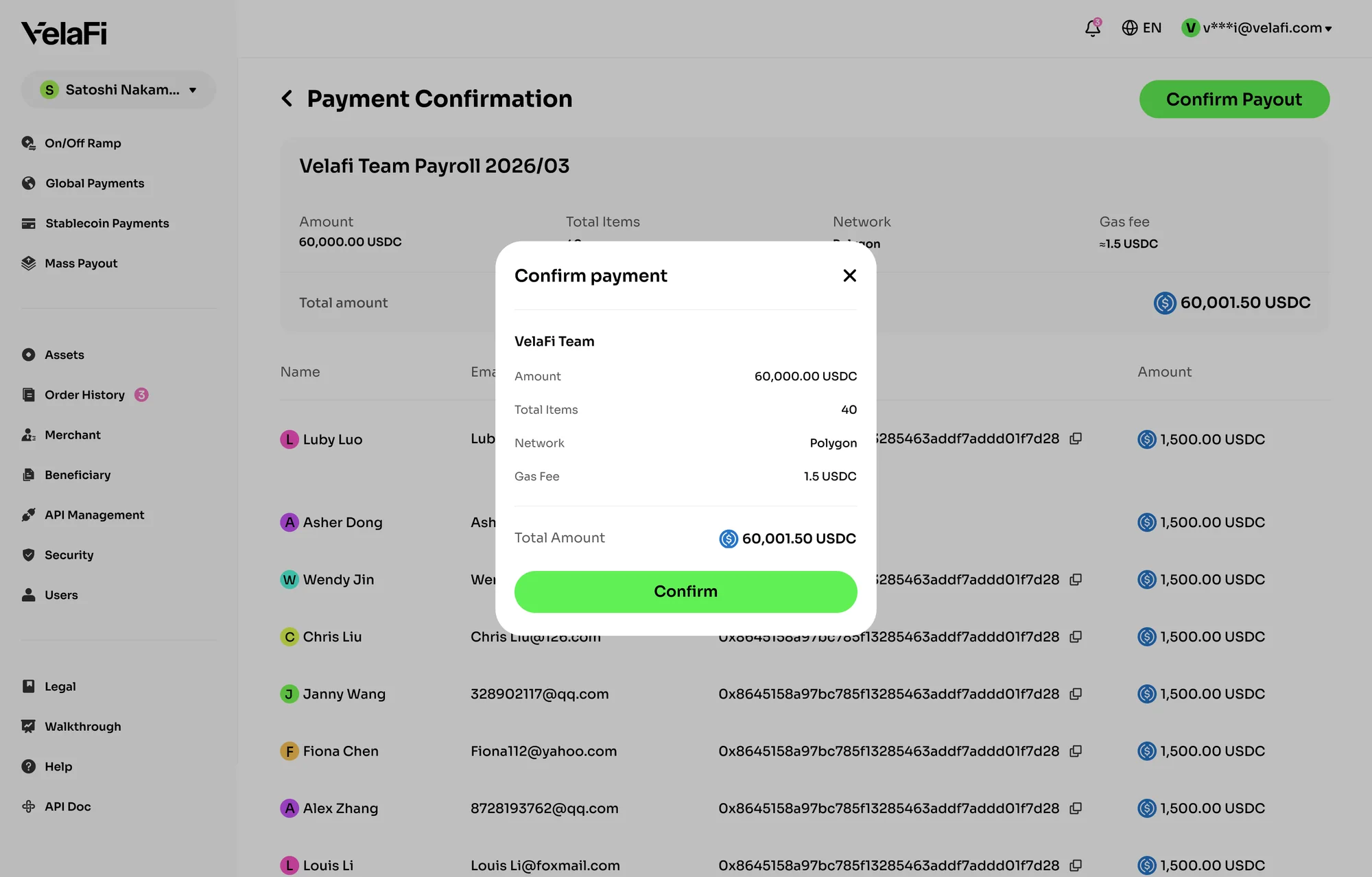
On the 'Payment Confirmation' page, you can review:
- Total payment amount
- Number of transfers
- Selected blockchain network
- Network feesYou can also review each payment entry individually, including:
- Recipient name
- Email address
- Wallet address / MID
- Transfer amountAfter reviewing the information, click 'Confirm Payment' in the upper-right corner. A confirmation pop-up window will appear.
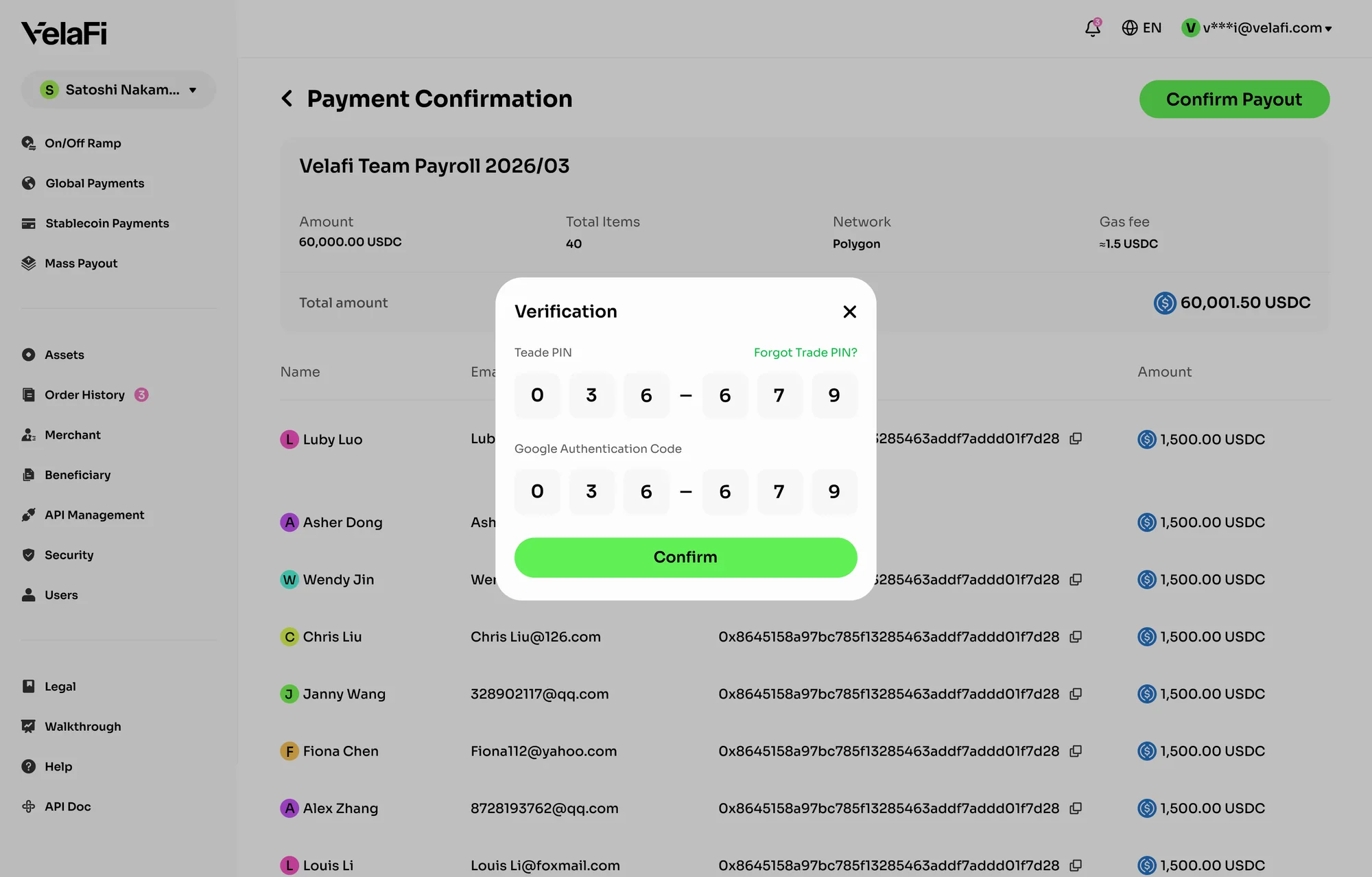
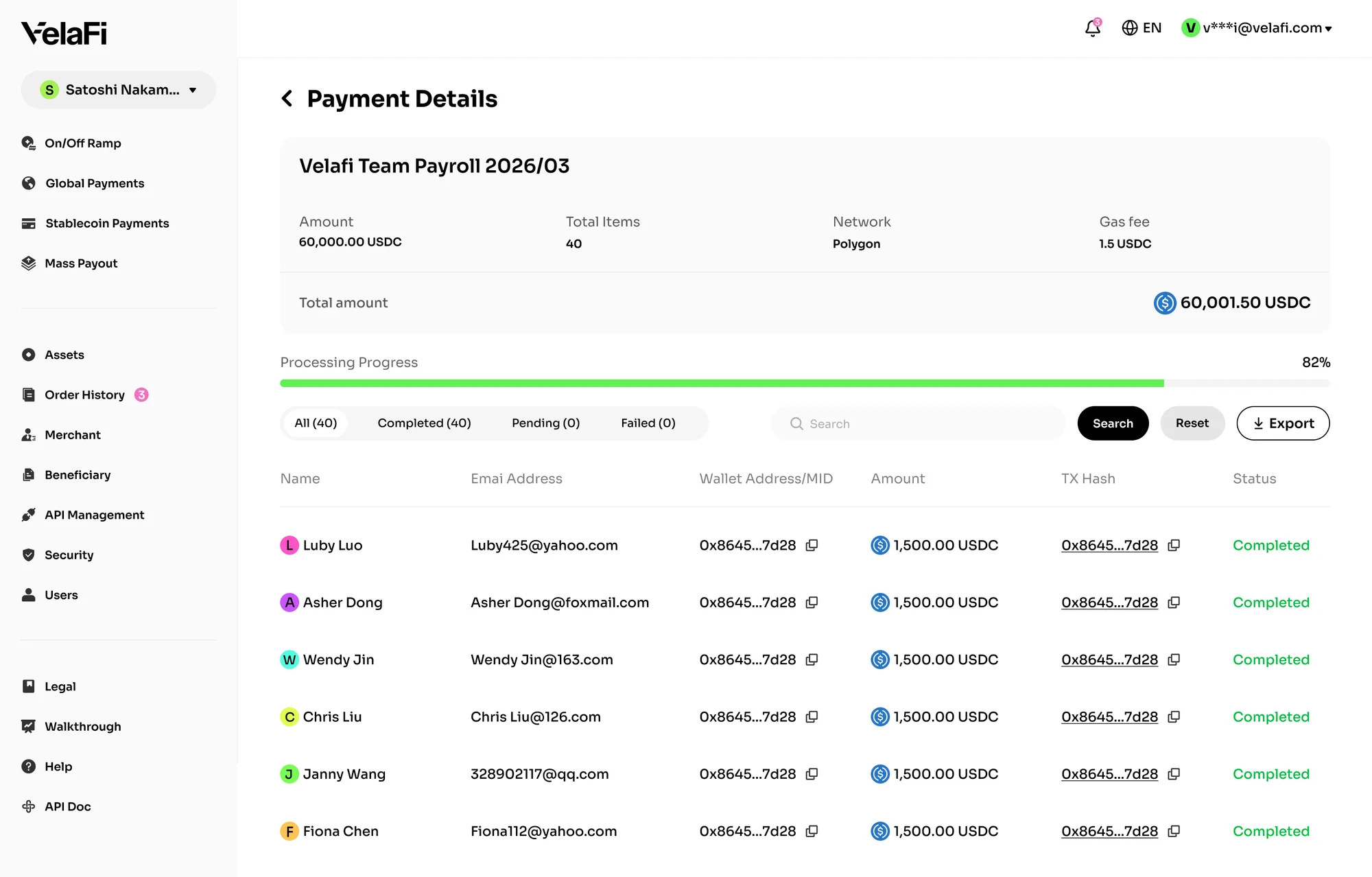
Review the payout details, complete the 2FA verification process, and submit the mass payout request.
Important Notes
- The currently supported assets are USDT and USDC, with available networks of Ethereum, Polygon, Arbitrum, BSC, Tron.
- The minimum withdrawal amount on VelaFi is 5 USDT. Therefore, each individual payment within a mass payout must also be at least 5 USDT.
- If you choose to use smart contract addresses, please enter the corresponding address separately for each selected blockchain network and token. Do not mix addresses from different networks or tokens. For example, a TRC-20 USDT address cannot be used for ERC-20 USDT.
This feature is not enabled for all accounts by default. Please contact the VelaFi Business Team or Customer Service to request access.
FAQ
1. How do I fill out the VelaFi CSV template?
The CSV template includes multilingual instructions. Simply complete the required fields according to the provided guidelines.
2. Why did my CSV upload fail?
Upload failures may occur if:
- The file format does not meet the required specifications
- The wallet address does not match the selected blockchain network
- Required fields are incomplete or incorrectly formatted
3. Can I edit the CSV data after the upload is completed?
No. Once the file has been uploaded successfully, the confirmation page is for review purposes only.
If you need to make changes, please edit the original local CSV file and upload it again.