
This guide explains wallet addresses, how to obtain them correctly, and important precautions to keep in mind. Please follow the instructions carefully when submitting your wallet address to help ensure that funds are received successfully.
What Is a Wallet Address?
A wallet address is a receiving account used to accept cryptocurrencies such as USDT and USDC.
Wallet addresses vary depending on the token and blockchain network. Be sure to select the correct combination before submitting your wallet address.
If you are new to cryptocurrency, you can register with a reputable exchange or wallet provider to obtain your personal wallet account.
If you already have a wallet, please ensure that:
- You can log in to the account normally.
- The wallet is able to receive assets.
- The wallet belongs to you and is used exclusively by you.
How to Obtain the Correct Wallet Address?
Step 1:Log In to Your Wallet
Go to the asset page and select 'Deposit'.
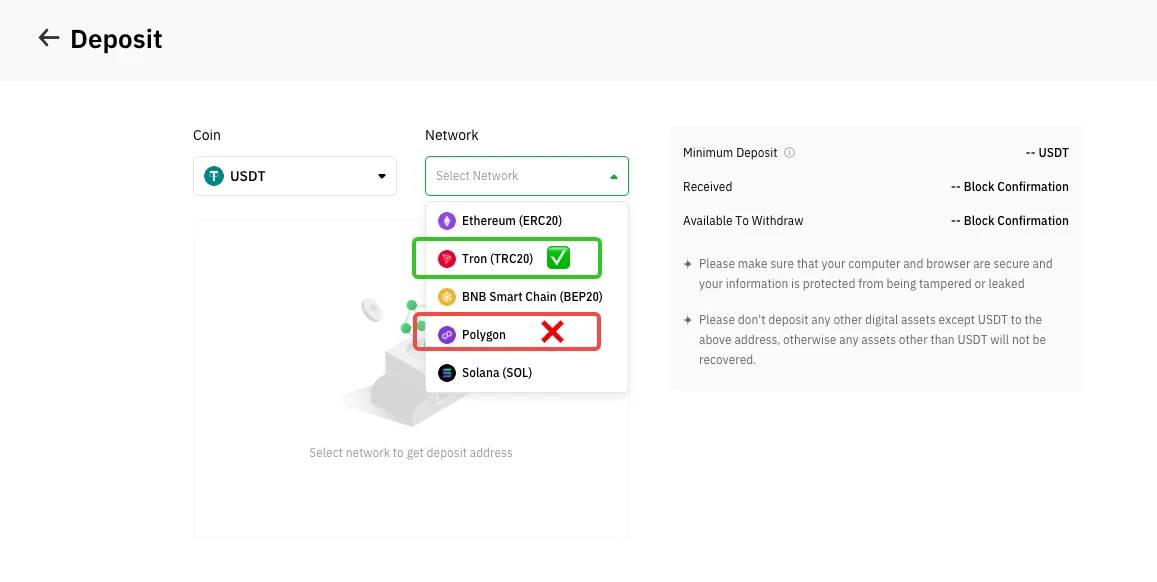
Step 2:Select the Correct Token and Network
Choose the token and blockchain network according to your company’s requirements.
For example, if you are asked to provide a USDT address on the Tron network, then the address must be:
✅ Correct: USDT + Tron Network
❌ Incorrect: USDT + Polygon Network
Step 3:Copy the Complete Wallet Address
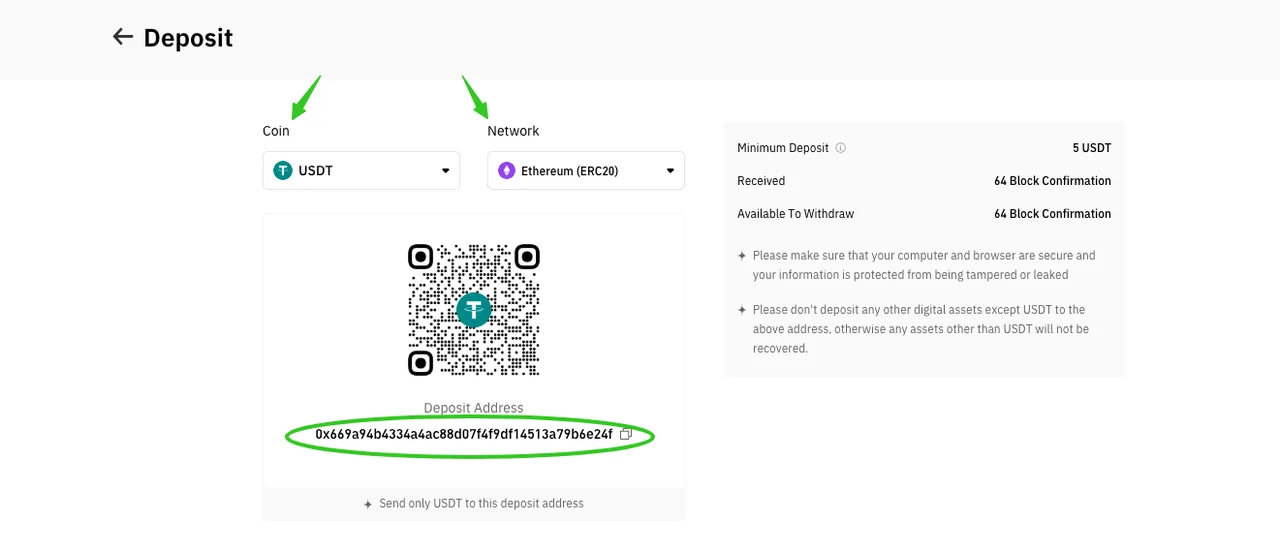
Click the 'Copy' button to obtain the receiving address associated with the selected token and network in your account. Do not enter the address manually.
Before submitting your wallet address, please verify that:
- The token and network match the requirements.
- The wallet address is complete and contains no extra spaces or missing characters.
Notes
- Do not use anonymous wallets, high-risk wallets, or exchange deposit aggregation addresses to receive funds. Doing so may trigger compliance and risk-control reviews, which could result in funds being frozen.
- Incorrect receiving information may lead to permanent loss of funds that cannot be recovered. Please double-check all details carefully before submission.
Other Submission Methods
If you would like to use VelaFi MID, please refer to: