
To help merchants collect payments from third-party users in their target markets, VelaFi now supports stablecoin payments for third-party users. Merchants can manually create a payment link in VelaFi, and third-party users can open the link to access the payment page and complete the payment.
To enable this feature, please contact the VelaFi Business Team or Customer Service to apply for activation.
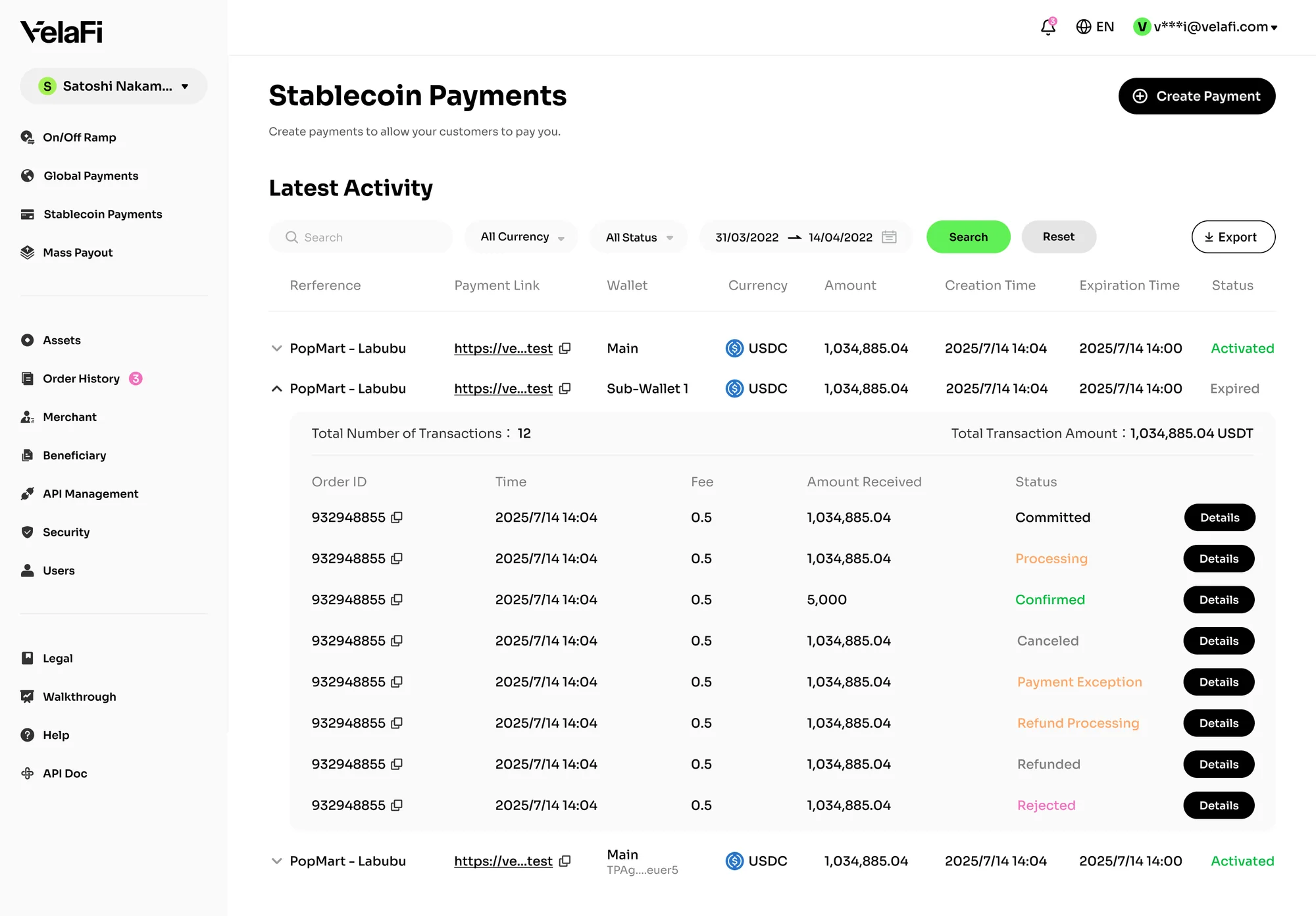
How to Use Stablecoin Payment
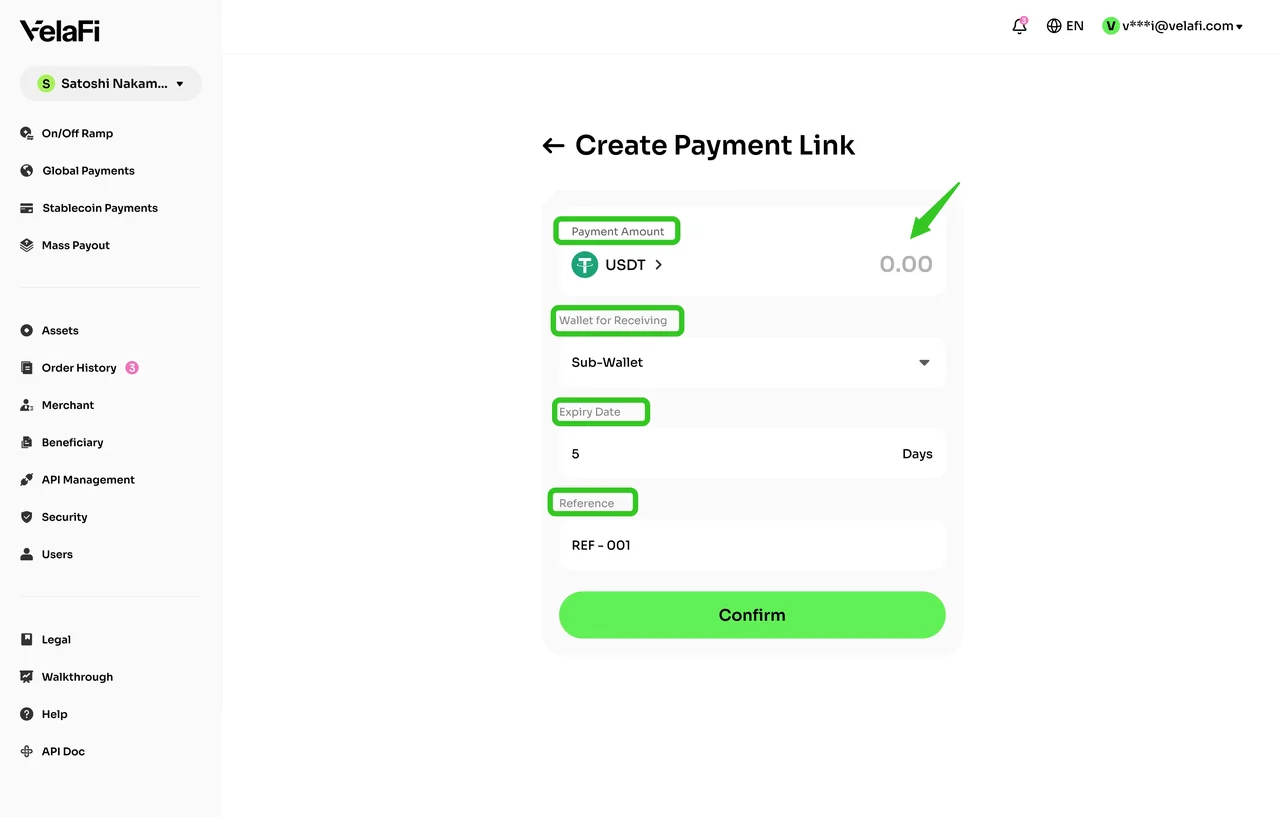
- Log in to the VelaFi Web and select 'Stablecoin Payment' from the left-side navigation menu.
- Click 'Create Payment' in the upper-right corner of the page.
- Enter the required payment details, including the currency, amount, receiving wallet type, link expiration time, and custom reference.
Click 'Confirm' to create the payment link.
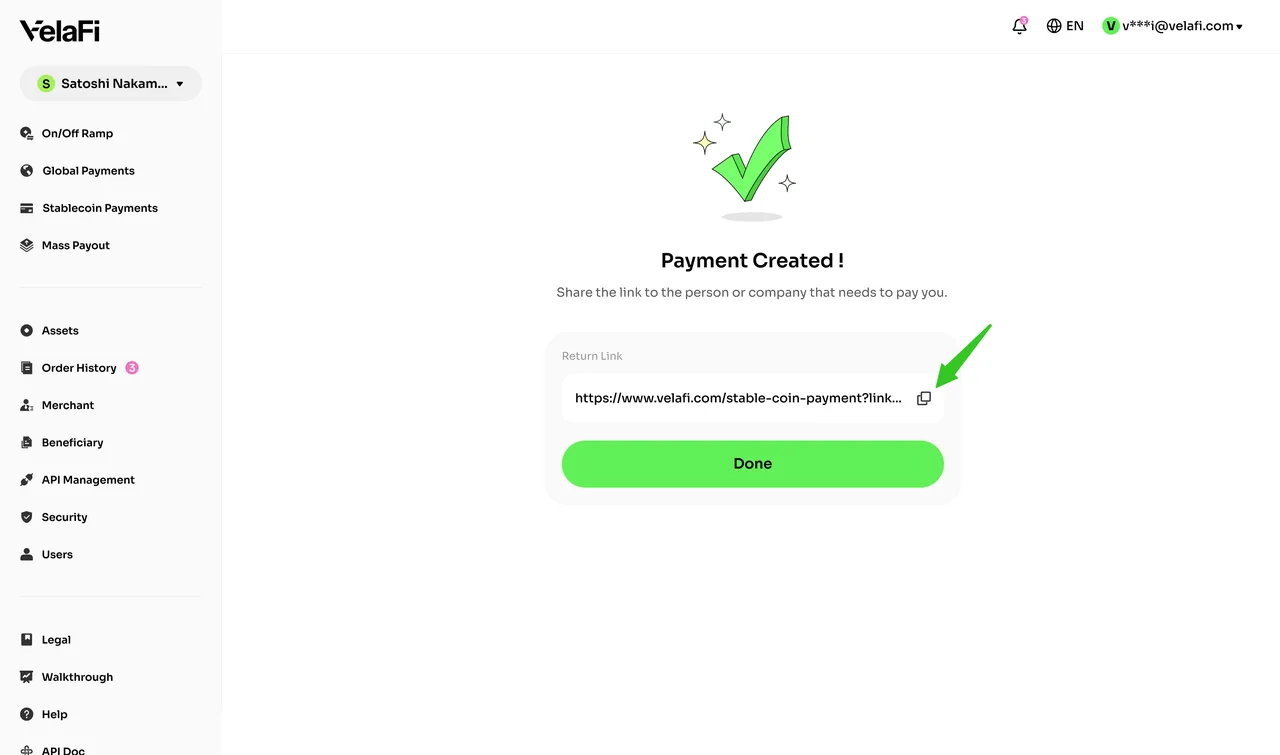
VelaFi will generate a unique payment link for this payment. Click the button on the right to copy the link.
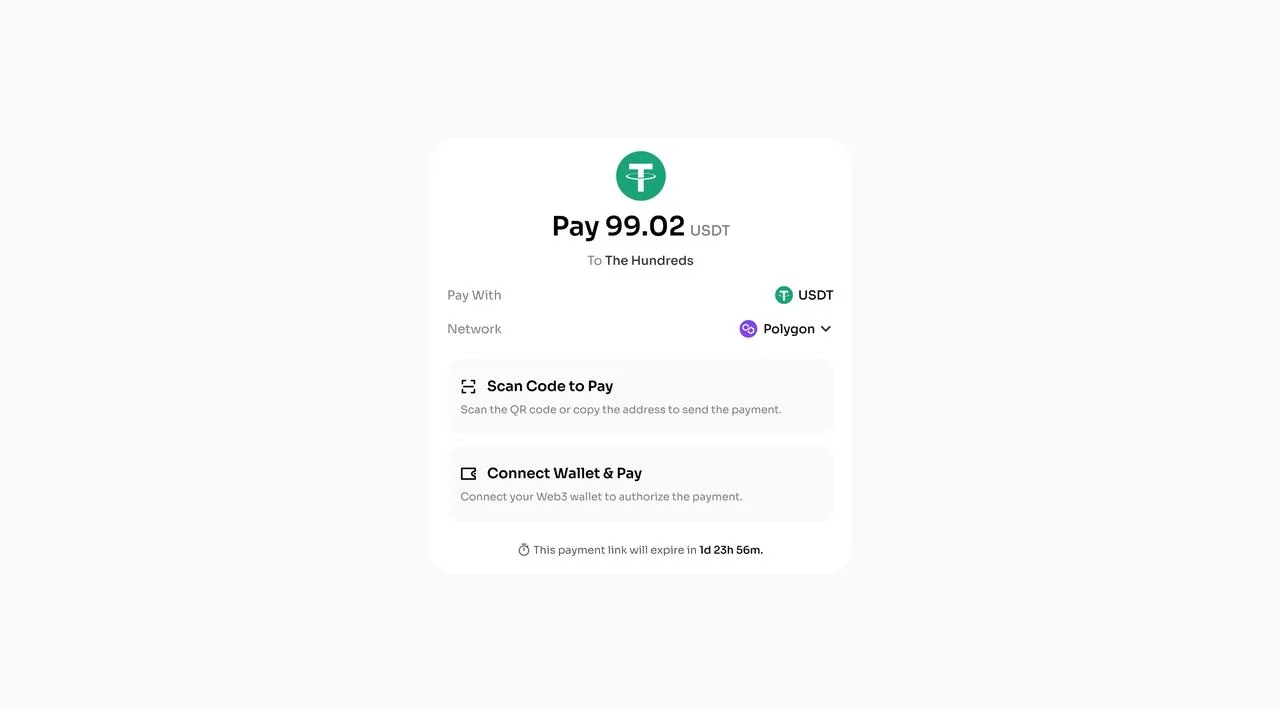
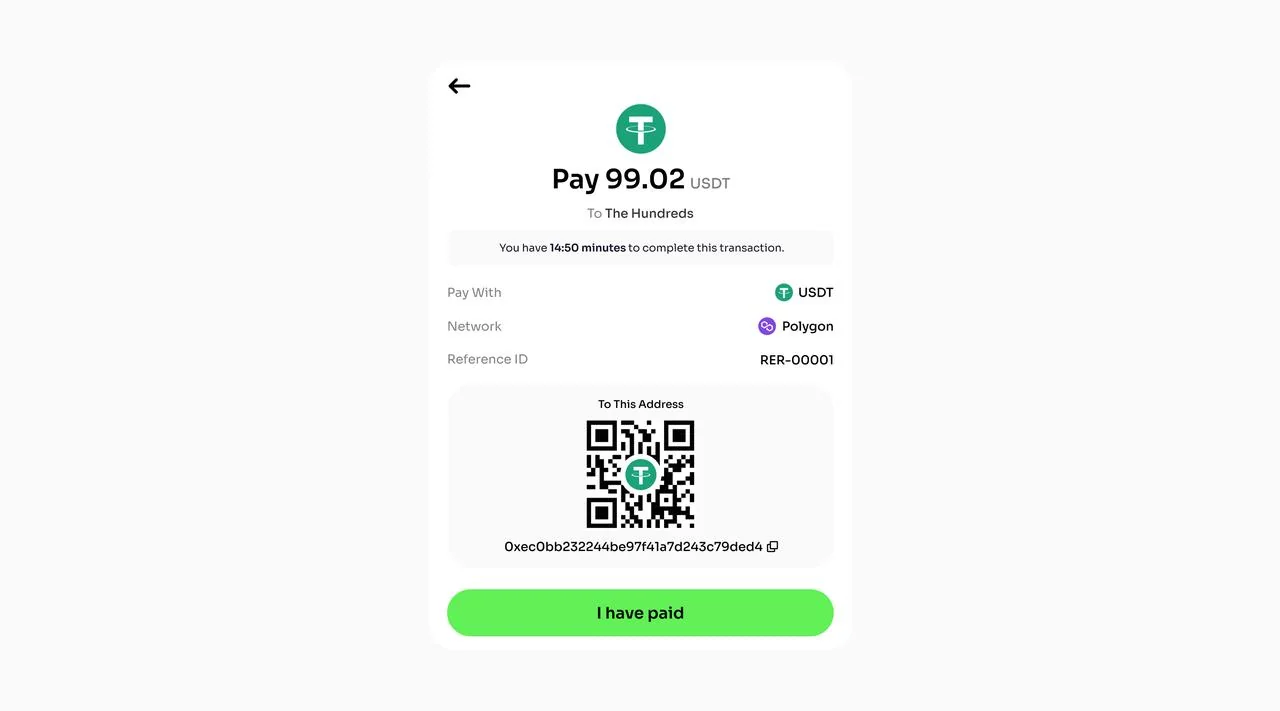
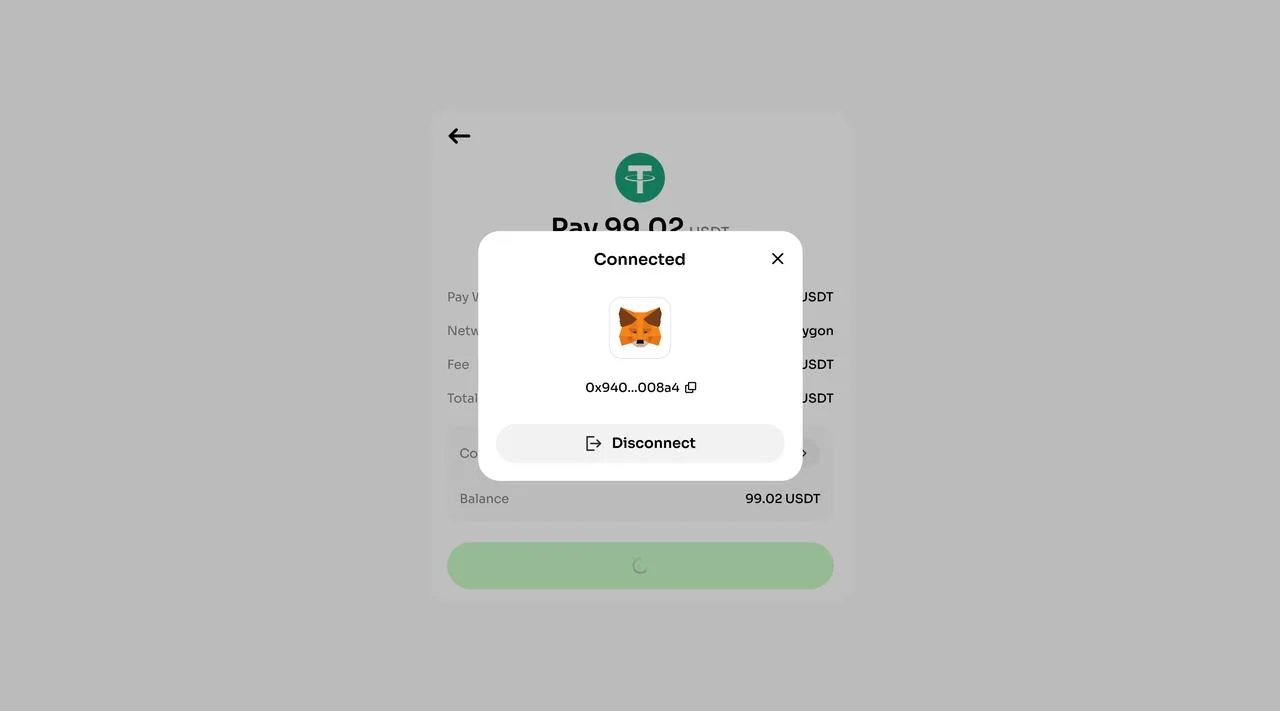
After opening the link, third-party users can select a network and payment method: Scan Code to Pay or Connect Web3 Wallet. The link expiration time is also displayed at the bottom of the payment page.
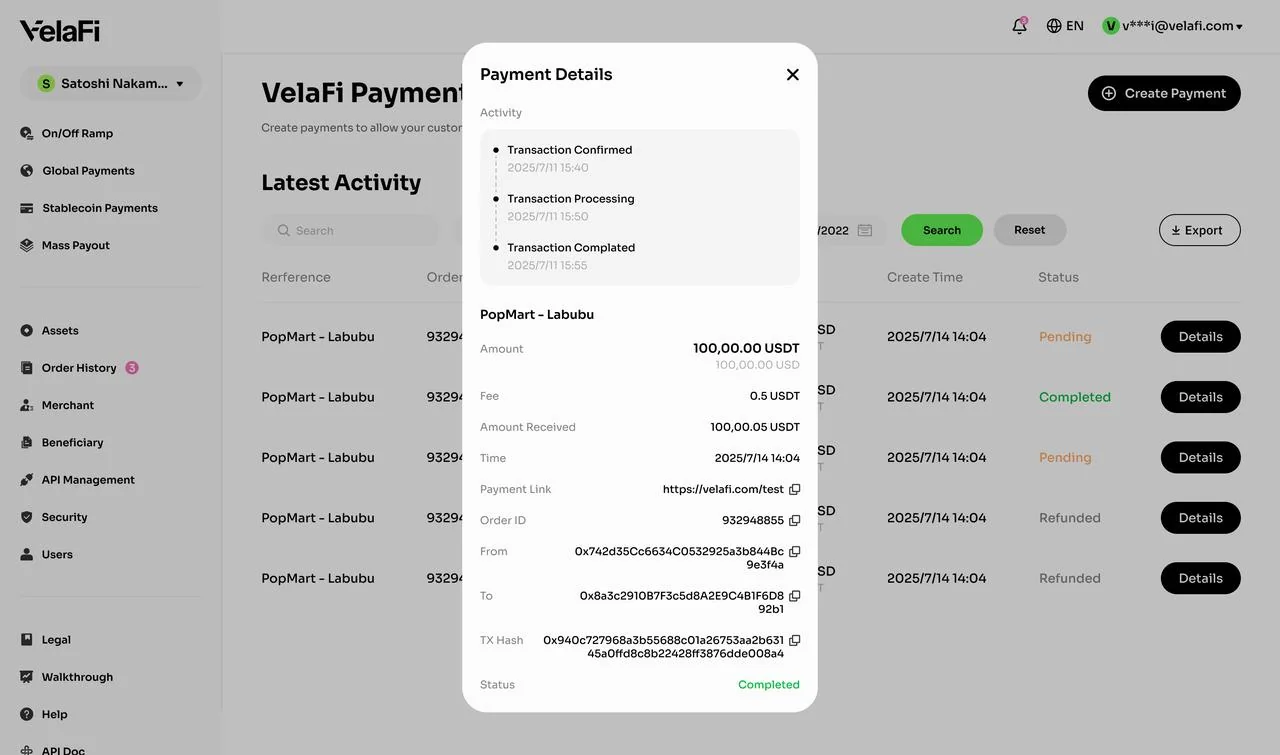
Scan Code to Pay Connect Web3 Wallet After the payment is successfully received, you can view its details on the 'Stablecoin Payment' page.
Notes
- The payment amount must be greater than the minimum deposit amount for the selected currency. For example, the minimum single deposit amount is 5 for USDT and 0.1 for USDC.
- The payment amount sent by the third-party user must exactly match the order amount. Otherwise, the payment will fail.
A small service fee may apply. The final amount received is based on the actual amount credited to your account.
FAQ
1. Which cryptocurrencies are supported for stablecoin payments?
VelaFi currently supports USDT and USDC for creating payment links.
2. How can I check the payment status?
Merchants can view the status of each payment on the 'Stablecoin Payment' page.
- Committed: The order has been created.
- Processing: The wallet has received the payment and is processing it.
- Confirmed: The payment has been confirmed.
Failed: The payment failed.
3. What should I do if a third-party user pays the wrong amount and requests a refund?
Merchant can submit a refund request to the VelaFi Business or Customer Support team. For more details, please consult Stablecoin Payment Refund.