Two-factor authentication (2FA) is a security process where the user provides two different authentications to verify their account.
At VelaFi, we offer Email verification and Google Authenticator (GA) verification as 2FA options. Here we'll show you the step-by-step process to enable Google Authenticator.
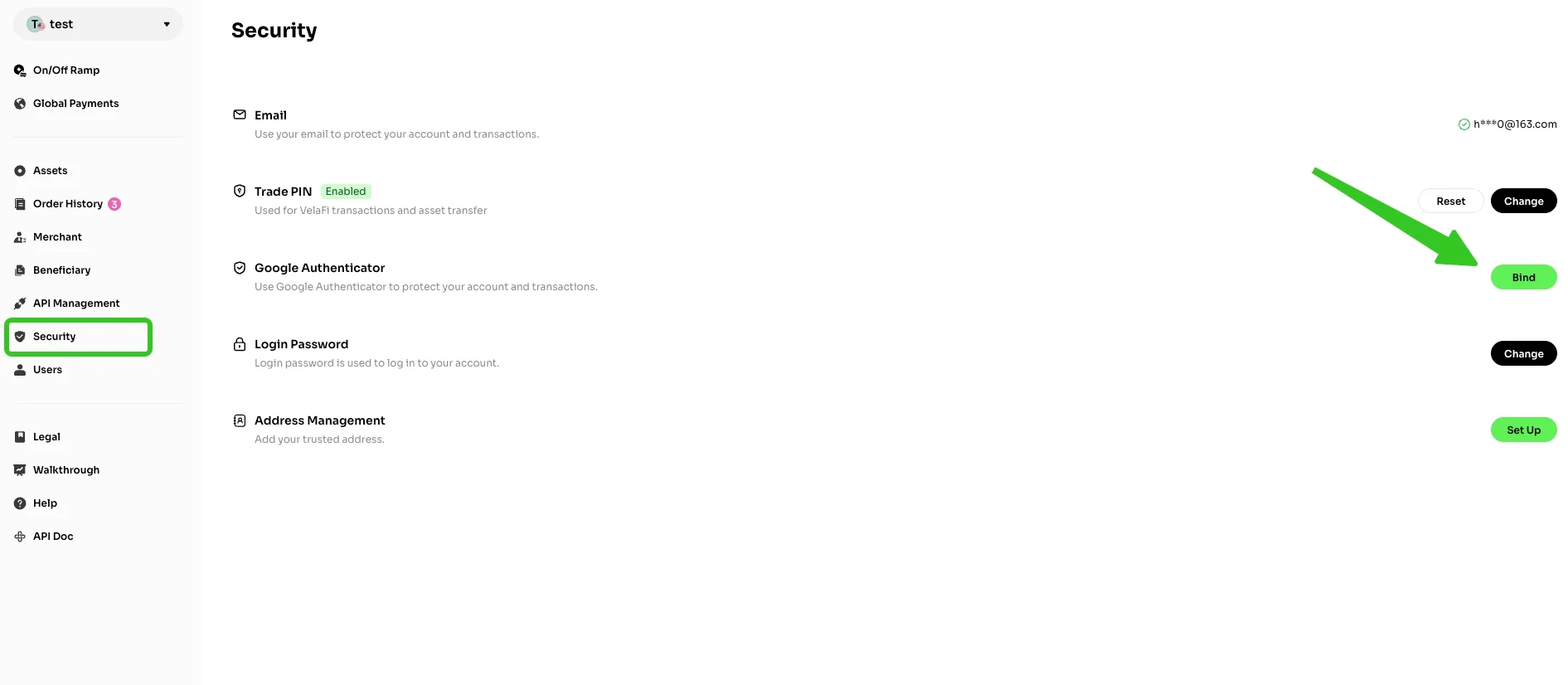
Login to your VelaFi account and navigate to the 'Security' section.
Locate the 'Google Authenticator' option, then click 'Bind' on the right side.
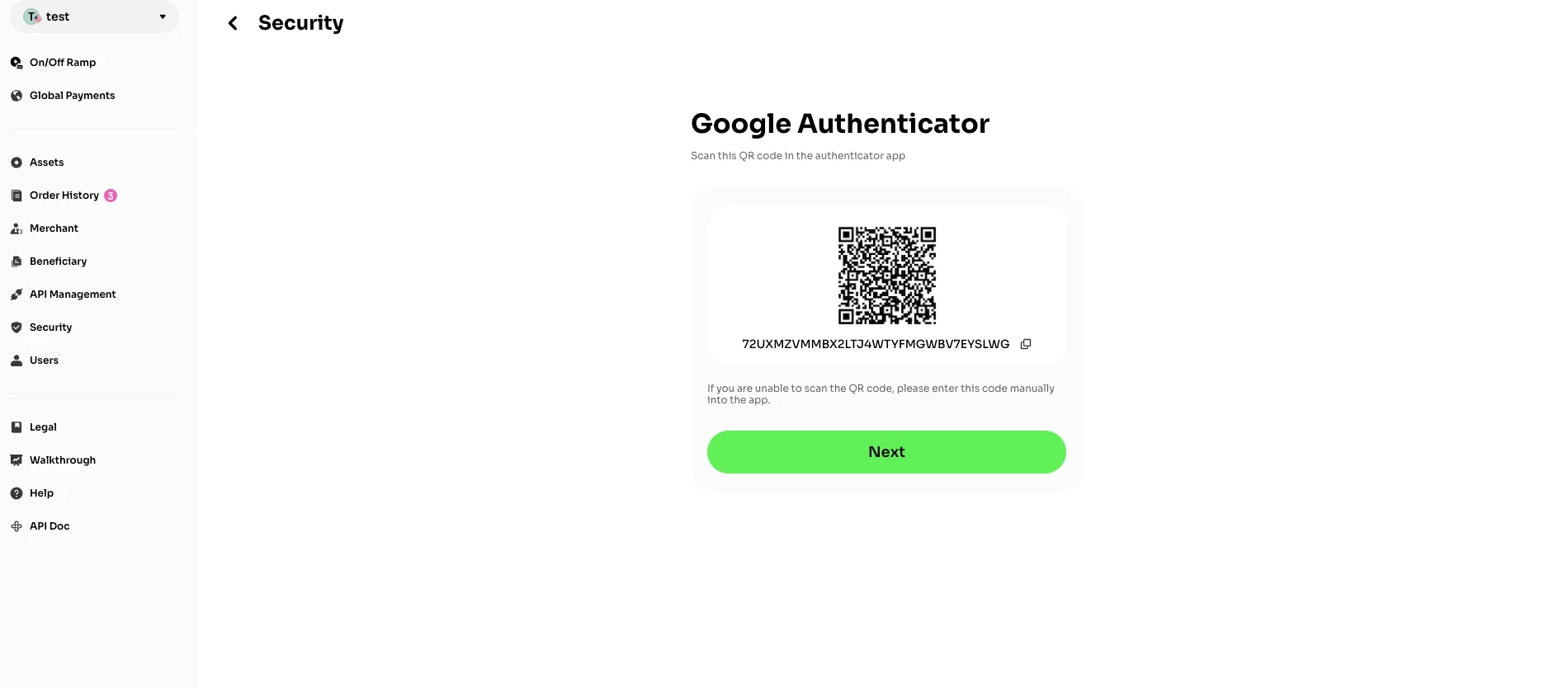
Open the Google Authenticator app on your mobile device. Scan the on‑screen QR code, or manually enter the provided key into the app. The corresponding GA verification code will then be generated.
Click 'Next' to continue.
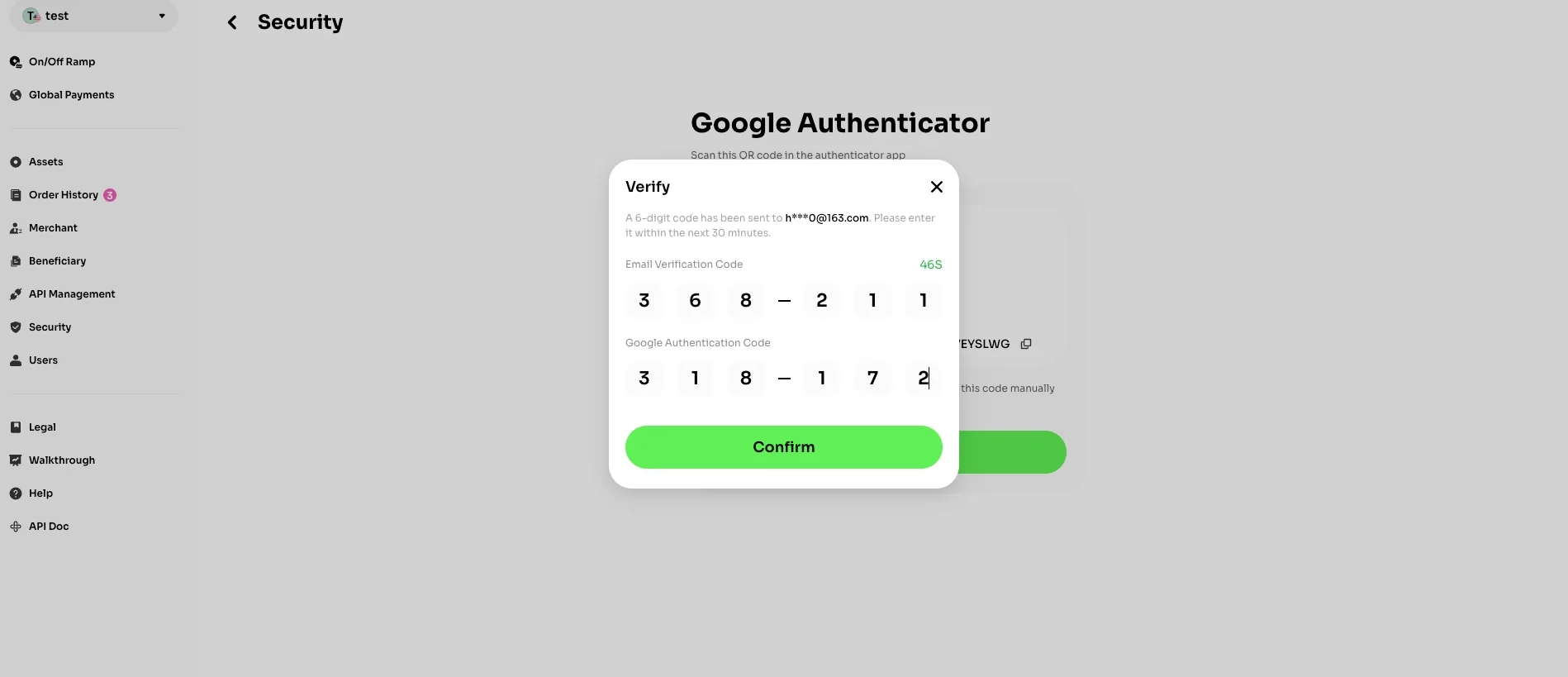
The system will send a verification code to your registered email address. Enter both the email verification code and your current GA code in the required fields.
Click 'Confirm' and your GA verification will be successfully activated.