A 'Beneficiary' is a bank account or financial account that is designated to receive fiat funds. Here we'll show you the step-by-step process for adding new beneficiaries.
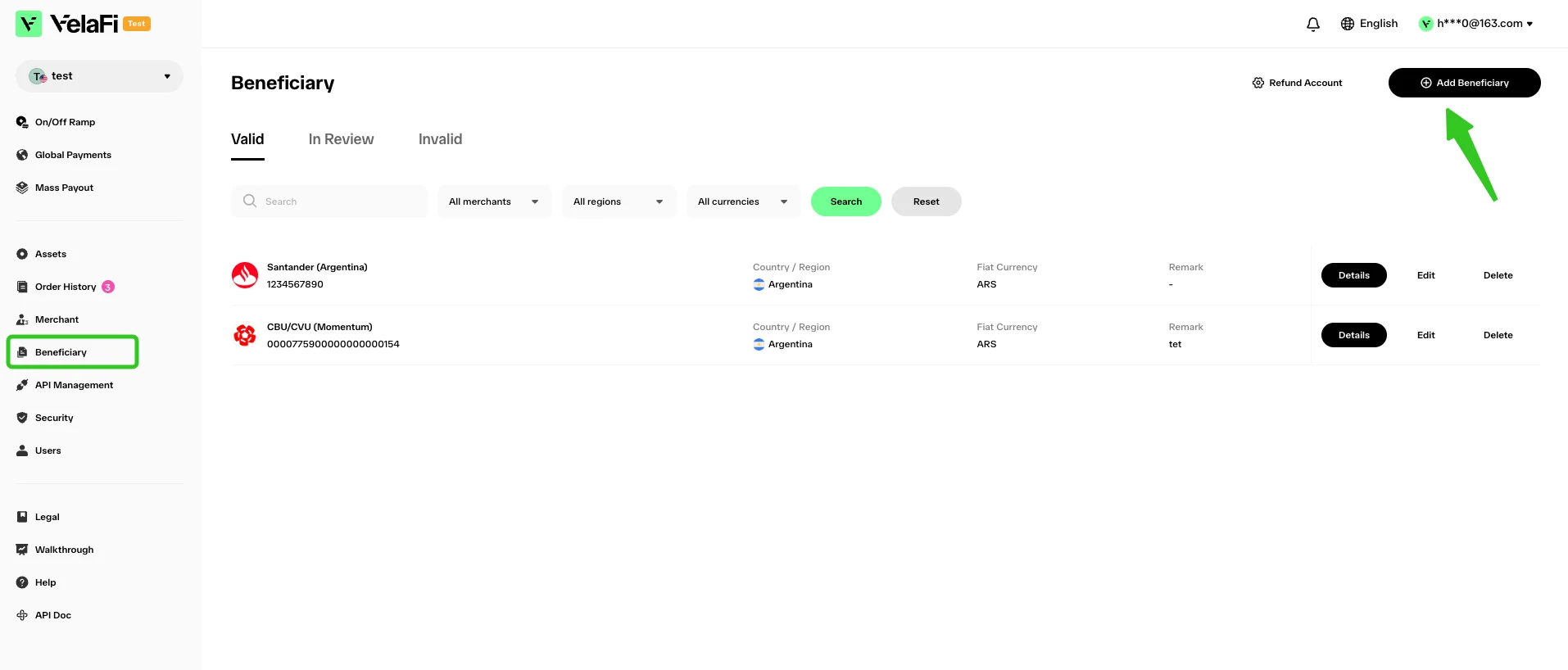
Enter the Velafi Dashboard, locate the 'Beneficiary' option in the sidebar. On the detail page, click the 'Add Beneficiary' button on the top right.
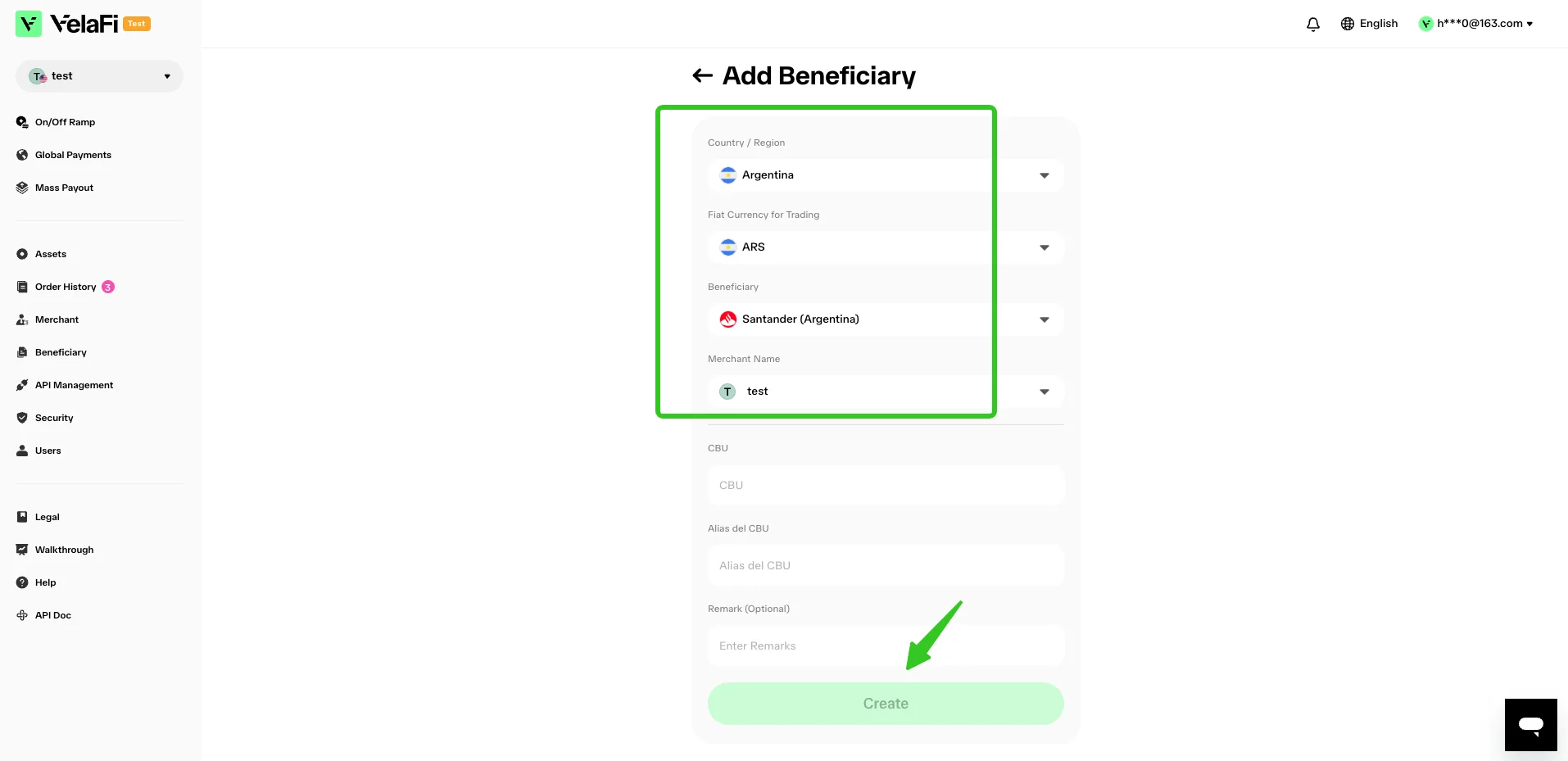
On the 'Add Beneficiary' page, select the beneficiary's Country / Region, target fiat currency, receiving channel, as well as the corresponding merchant account.
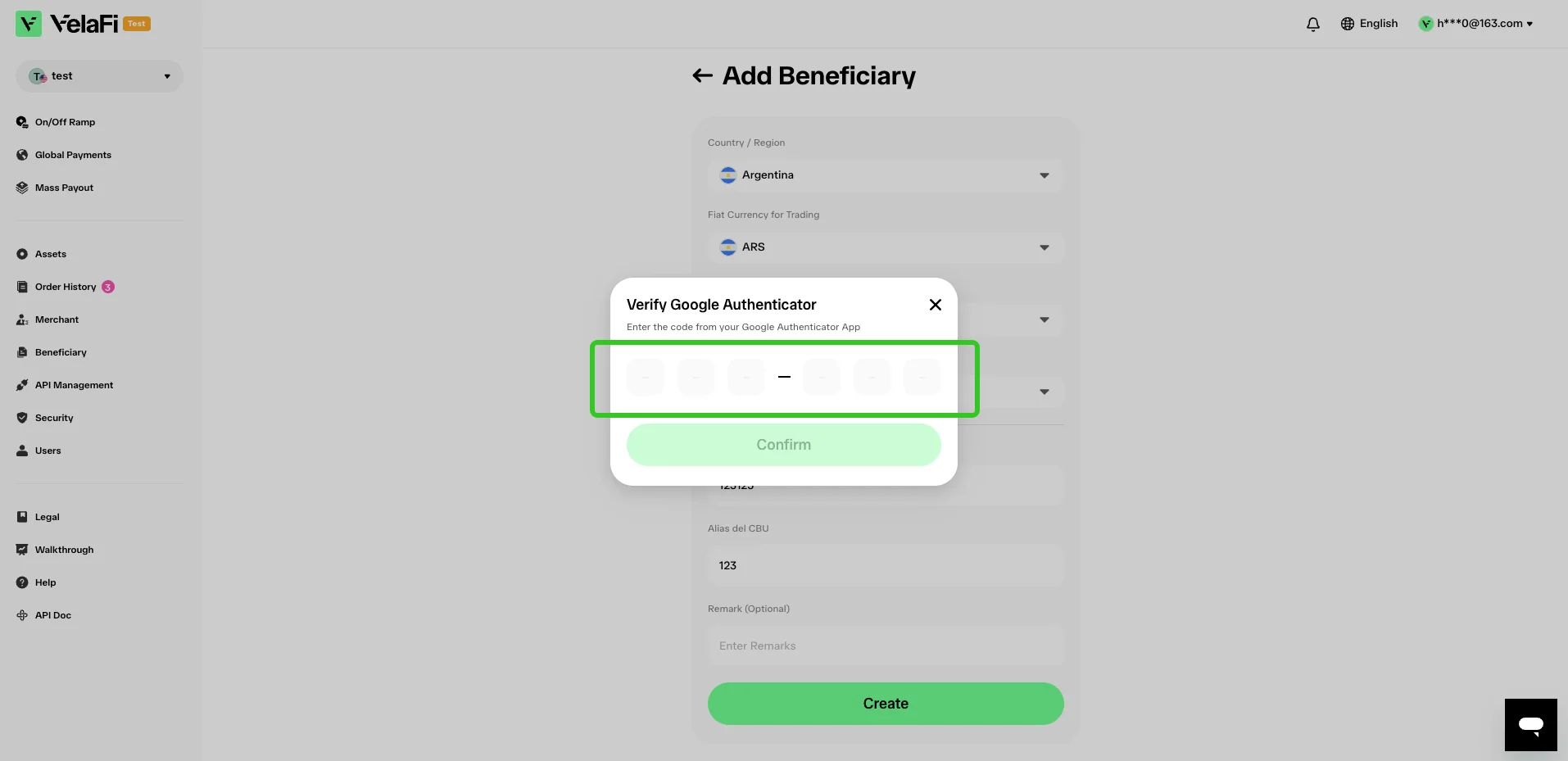
Enter the verification code to complete 2FA security authentication, then click 'Confirm'.
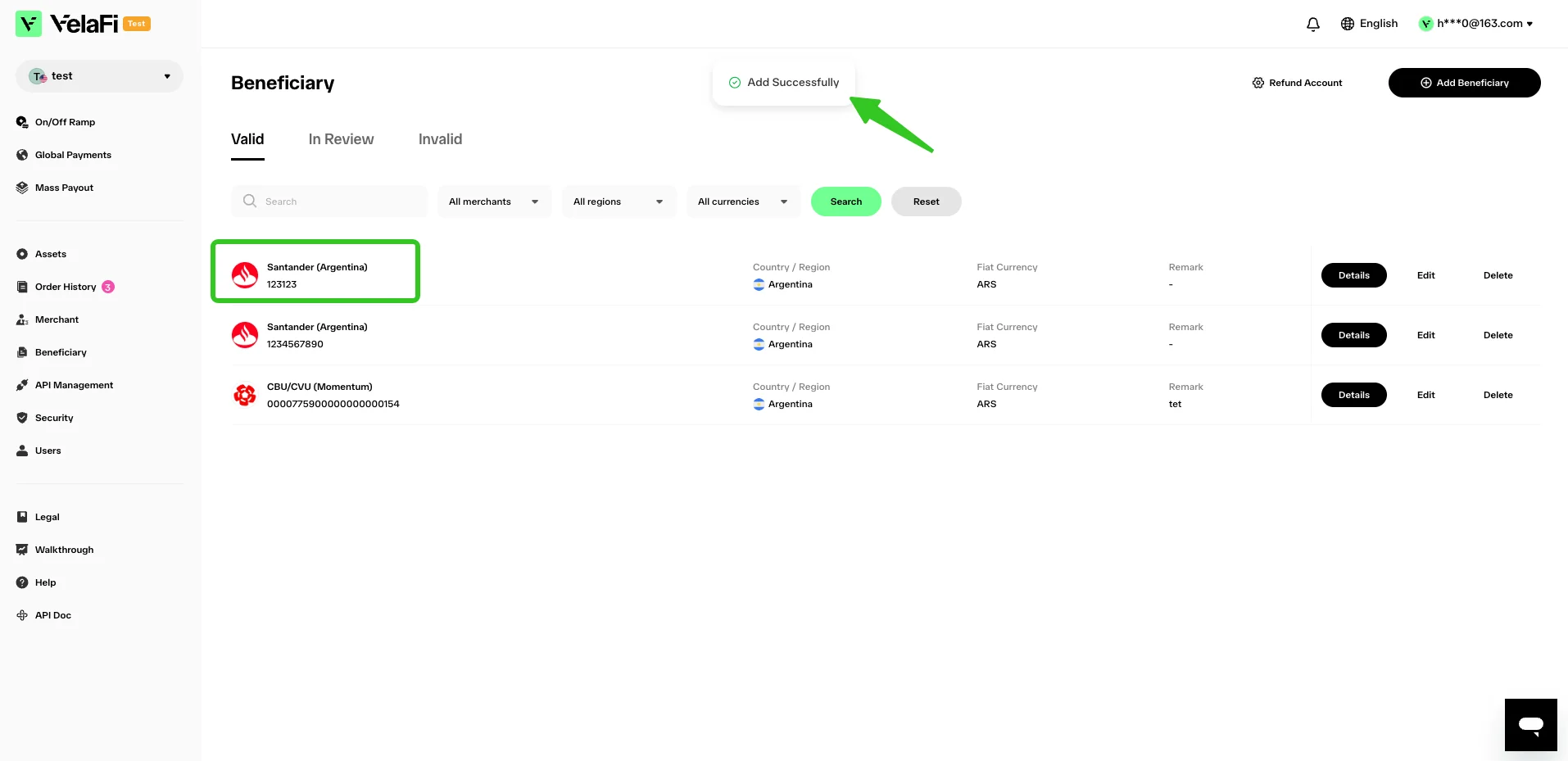
After the beneficiary is added, you can view it on the 'Beneficiary' main page, and you may also edit or delete the beneficiary information subsequently.